Handheld Capacitive Scanner / Wall “X-Ray”

December 2, 2021

Recently I came across a project to turn the Raspberry Pi touchscreen into a 2D capacitive imager. The creator showed how it could be used to see ghostly, pixelated images of wood and metal elements within a sheetrock wall. As someone with a “complicated” house, I struggle with traditional stud finders. I thought that something like this looked pretty cool, and potentially useful! My version of this project is in the video below:

For the hardware side of this, I used the following:

-Raspberry Pi 3 B (Other models might work, but this is the same as the original project used).
-Official Raspberry Pi 7″ Touchscreen
(Note, only older ones with the FT5406 chip will work!)
-Generic 7″ HDMI touchscreen
-Screen protector for above (since we’ll be sliding it on surfaces)
-(9.0″ x 5.9″ x 3.4″) ABS project enclosure (other sizes might work).
-Right-angle HDMI adapters (upwards 90).
-USB extensions x2
-Mini-USB extension (for charging)
-USB battery pack with two high-power output ports.
-Square U-bolts (x2) for handles
-Momentary push button with jumper cables for shutdown trigger.
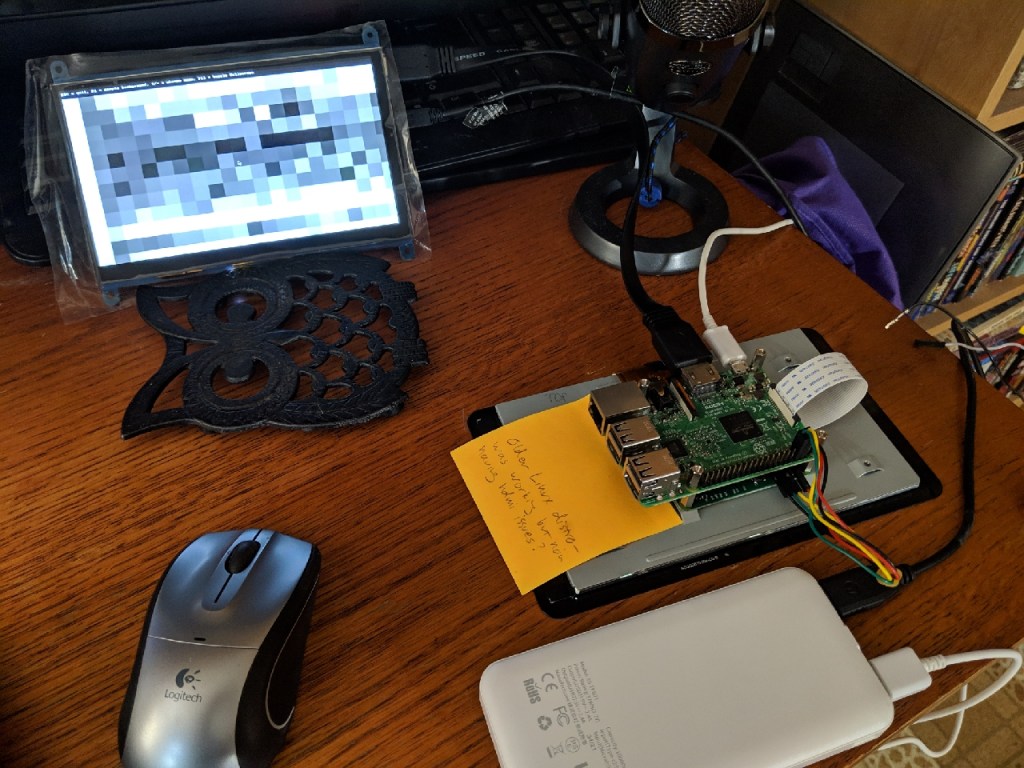
I used Rasbian Stretch as the OS on the Pi. It seemd to be the right age to work with the 2016 code, but still new enough to work with the Pi 3B. I changed the /boot/config.txt and raspi-config settings as described on Optisimon’s page to enable I2C and disable touch input from the bottom screen. I also added a line to config.txt enabling the shutdown overlay. I also updated the console version of raspi-config and enabled Full KMS (Under GL settings) to get the external HDMI screen to take priority over the displayport screen.

For the software, I used Optisimon’s code, with a few tweaks as follows:

-In FT5406.hpp, changed line 83 to “for (int rowAddr = rows; rowAddr > 0; rowAddr–)”
-In SDLEventHandler.hpp, changed line 55 to “_zoom = std::min(50, _zoom + 1);”

(These changes were for my preferred use and display style. The first reverses the scan order so the image is the same horizontal orientation as the screen on the back. The second change increases the max zoom to fit my display screen, and might not work with all screens.)

To install the code I did the following (these steps may be obvious to others, but they weren’t all obvious to me!):
-sudo apt-get update
-sudo apt-get upgrade
-sudo apt-get install xdotool
(You can also install i2c-tools, or the prepare step below will do it for you)
-“make prepare” from within ft5406-capacitive-touch/CapacitanceVisualizer
-“make install” from same directory
(If any changes are made and you need to recompile, you’ll also need to make a
change to “main.cpp” and then make again).
-I could then run CapacitanceVisualizer to display the scan.

For ease of use, I made a shell script (“launch.sh”) that called the program and maxed out the zoom, as follows:

“!/bin/sh
/home/pi/ft5406-capacitive-touch/CapacitanceVisualizer/CapacitanceVisualizer &
sleep 10
xdotool search –name CapacitanceVisualizer key F11 F1 KP_Add KP_Add KP_Add KP_Add KP_Add KP_Add KP_Add KP_Add KP_Add KP_Add KP_Add KP_Add KP_Add KP_Add KP_Add KP_Add KP_Add KP_Add KP_Add KP_Add KP_Add KP_Add KP_Add KP_Add KP_Add KP_Add KP_Add KP_Add KP_Add KP_Add KP_Add KP_Add KP_Add KP_Add KP_Add KP_Add KP_Add KP_Add KP_Add KP_Add KP_Add”

(Yes, I realize there are probably less horrible ways to do this, I just don’t know what they are!)

I also made a .desktop shortcut and placed it in /etc/xdg/autostart, with the following contents:
[Desktop Entry]
Type=Application
Encoding= UTF-8
Name= CapacitanceVisualizer
Exec=/home/pi/launch.sh
StartupNotify=true

With this setup, I can turn on the USB battery pack, and the scanner box boots up, autoruns CapacitanceVisualizer, goes full screen, and removes the background noise, all without any further input from me. I have some USB extensions to the outside of the case, so I can connect a keyboard / mouse if desired, but for the intended use of this device, I shouldn’t really need to.

Since Raspberry Pi is too cheap to have an on/off switch, I connected the pushbutton to GPIO pin 21 and the adjacent ground, and added the following to the end of /boot/config.txt:
dtoverlay=gpio-shutdown,gpio_pin=21

I might add another physical button tied to the GPIO to send an F1 keypress for further background noise reduction.

This write-up is the “short” version of my efforts. I ran into various problems and hiccups along the way, possibly related to the mishmash of official and cheap imported hardware I was using, or the fact that this whole project relies on unsupported, undocumented features well outside the intended use of the hardware. I also ran into some of the typical Raspberry Pi “quirks” like refusing to boot for random reasons, flipping screen orientation, etc. My video on the project was at least twice as long before I edited out all the dead ends and failures!

Here are some additional resources and background info on this project:
Optisimon’s website on the original project
Github code, also by Optisimon
Capacitive sensing from Wikipedia.
Hackaday article on the original project.
2006 research paper on capacitive imaging.
Electrical Capacitance Tomography (industrial scanning technique)


(Starting to) Re-assemble the Fast Food Playland!

October 7, 2021

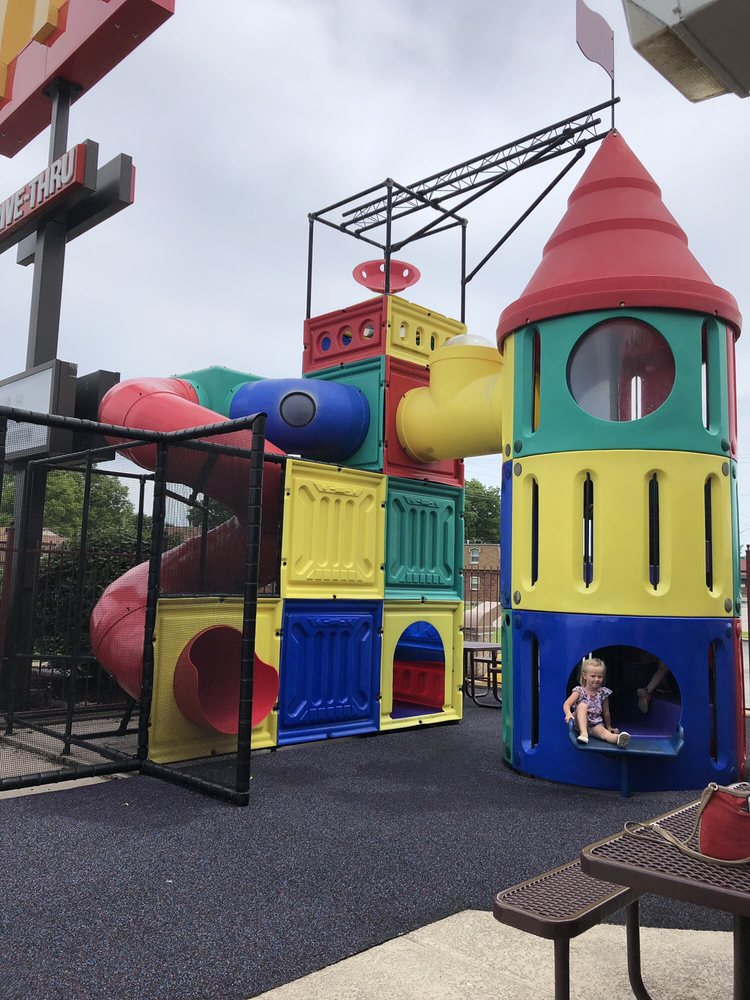
In my latest Saveitforparts video, we’ve begun putting together the playground structure that Carl picked up free at an abandoned fast food restaurant (with permission!). It’s a slow process and probably won’t get finished this year, but at least we’re making progress on it!

To answer some of the most common questions:

-Yes we think it’s UV resistant (according to the manufacturer). Here are some outdoor installations from the same company:
https://i.redd.it/hmnuareh2j571.jpg
https://s3-media0.fl.yelpcdn.com/bphoto/filX-3VIJR0TWPE2FmmA-w/o.jpg

-No we probably won’t re-assemble it exactly the way it was. We already changed the design slightly.

-Nothing *too* gross was found inside, other than some fossilized french fries 😛

-Yes we’re pretty confident we’ll make progress on this. After all, we did move a monorail to Sandland!


The Government Hates This One Weird Boat

September 30, 2021

I’ll probably get docked on search results for the clickbaity title, but I couldn’t think of anything more appropriate for this project!

In part one (first video), I built a homemade tugboat by combining some foam and a trolling motor with a plastic “Tuggy” sandbox. In part 2 (second video), we find out why this isn’t considered “homemade” and can’t be legally registered as a boat. (However, barrels and pallets thrown together can be a “homemade boat”, because reasons).


Mississippi River(house)boat Adventures!

September 28, 2021

I spent a lot of last summer poking at an old boat with the intention of fixing it up, adding a cabin, and doing some Mississippi River overnight trips. That boat never really got going, and I’ve since bought a better one. However, in the meantime I was invited to help move an even bigger boat up the river! Apparently my background in Alaskan fishing and duct-taping kayaks together translate into being a river pilot!

This boat is a 1980s Gibson, about 42ft long and powered by two gas engines. As expected with a used 1980s boat it had a few hiccups, and my duct-taping skills did come in handy! We started the trip in Lansing (IA) where the new owners bought the boat. Over the course of several days, we moved it up the river to Saint Paul (MN). I split the trip into several installments since there’s so much to see!

And here’s a timelapse of (nearly) the whole trip, minus the times my GoPro overheated (I have an older one that’s prone to that, sorry!).


Another Dumb Boat Thing

September 27, 2021

Something compels me to make boats out of everything. As such, when I picked up a strange homemade motorized bike at an auction, my first thought wasn’t about biking. It was about “how do I make this float?”

After a lot of messing around with an old surfboard and some scrap materials, I got the bike to float! It doesn’t actually move very fast, unfortunately the little wheels just don’t push enough water. This idea might come back again in the future, but for now, here’s my first foray into amphibious surfbiking:

For those of us with ADHD, here’s the (very) short version from Youtube’s new attempt to enter the short format vertical video market:


The Ultimate Man Cave?

September 26, 2021

Forget big screen TVs, pool tables, and bad taxidermy, how about a homemade bar in an actual* cave?

*Technically it’s a mine, since it’s an artificial tunnel/cavern that I’m digging out.

Anyway, Jim from Sandland has kindly allowed me to explore my inner mole man by excavating a small bar / saloon / speakeasy in the sandstone bedrock. This won’t be a commercial operation or open to the public, it’s just a fun place to hang out! (And before you spam the comments with “how’s the air” or “will this collapse”, scroll down to the follow-up videos where I address those common questions!)


Episode 7: A New Boat!

September 24, 2021

Since picking up a free 1970s tri-hull boat last year, I’ve been struggling with getting it running and usable. As with many of my older engines, this was a never-ending process of fighting carburetors, timing, ignition, etc. The old outboard motor took so much time and attention that I never got around to doing any interesting mods on the boat, like building a cabin or installing fun gadgets.

Well, I finally gave up and got a NEW boat! And by new, er, I mean, even older! This one is a 1962 Dorsett Catalina, with a (supposedly more modern) V8 engine and a jet drive! This one has had it’s share of repairs and upgrades as well, but at least it runs and I’ve actually gotten it to go fast! See the video above for “Part 1” of the jet boat project, or skip to the one below for actual “going fast” footage (starts around 8min in).

Boat season is winding down a bit in Minnesota as we get into fall, but there are a lot of future projects (and hopefully, trips!) planned for this boat!


Now Available, Saveitforparts Merch!

September 23, 2021

If you’ve been holding off on buying a new T-shirt, waiting for me to release official merchandise, well wait no more! Throw away your old threadbare threads and head on over to my Teespring store! There are products from the Youtube channel and some other stuff as well!

Visit the Saveitforparts Store here!


Touring the Rochester MN “Cave House”

May 11, 2021

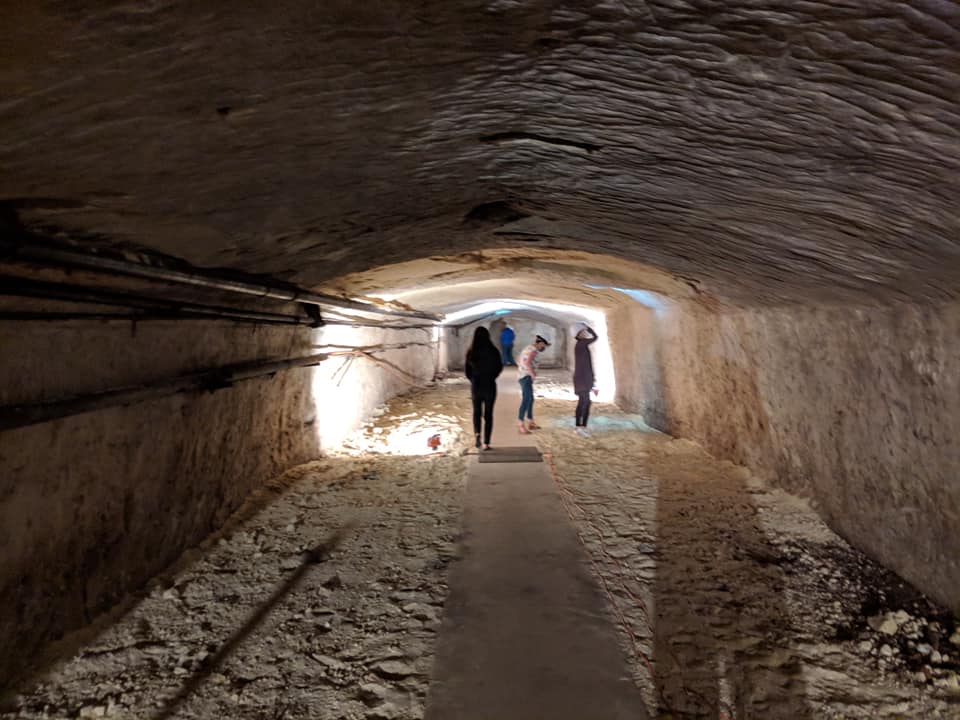
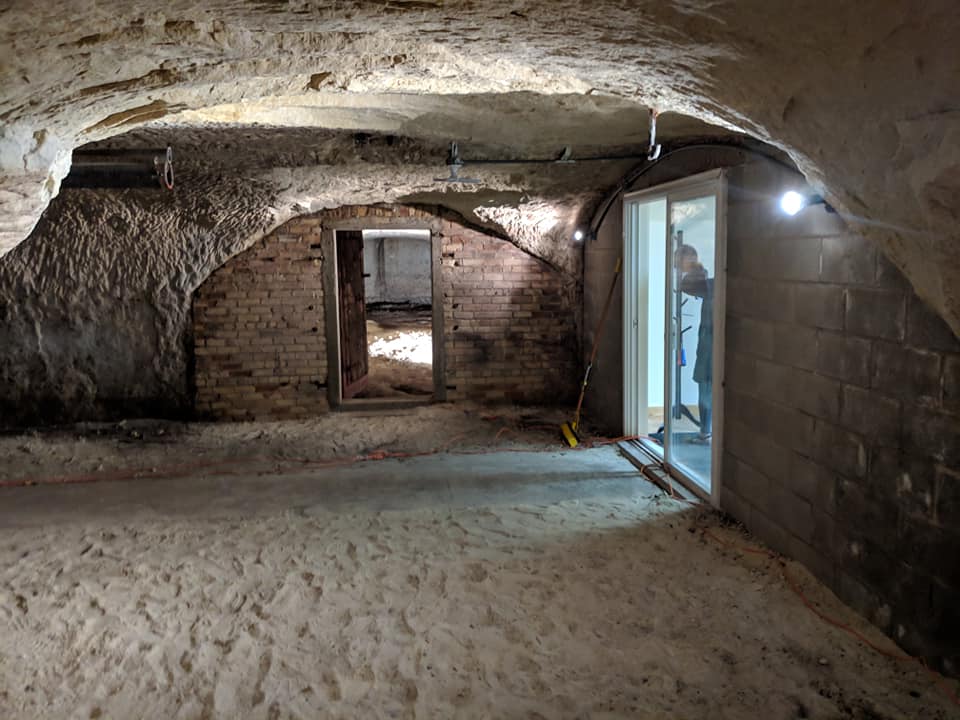
A Minnesota real estate listing went viral recently due to the artificial sandstone caves connected to the house. Since I’m involved in digging sandstone caves of my own, I thought it would be fun to take a look! We investigated the cave layout and design, as well as some of the history of the property and surroundings. I have a video tour of the property below:

And here’s the quick map I made of the caves and house (it’s not 100% accurate, especially with regards to the house layout, but I did my best to do the caves to scale!).

And a few more photos of the property:


DIY Duck Pond Filter

April 28, 2021

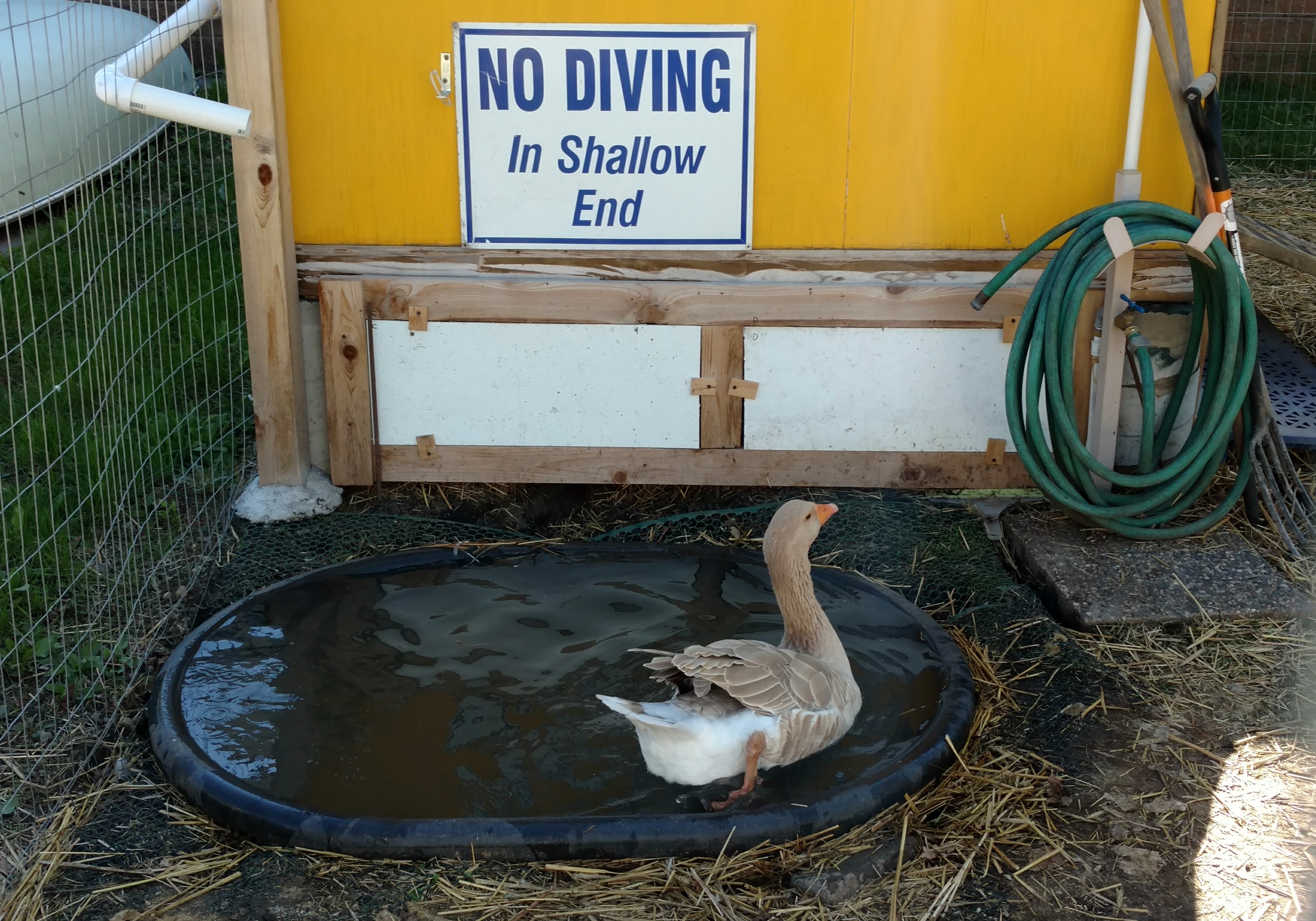
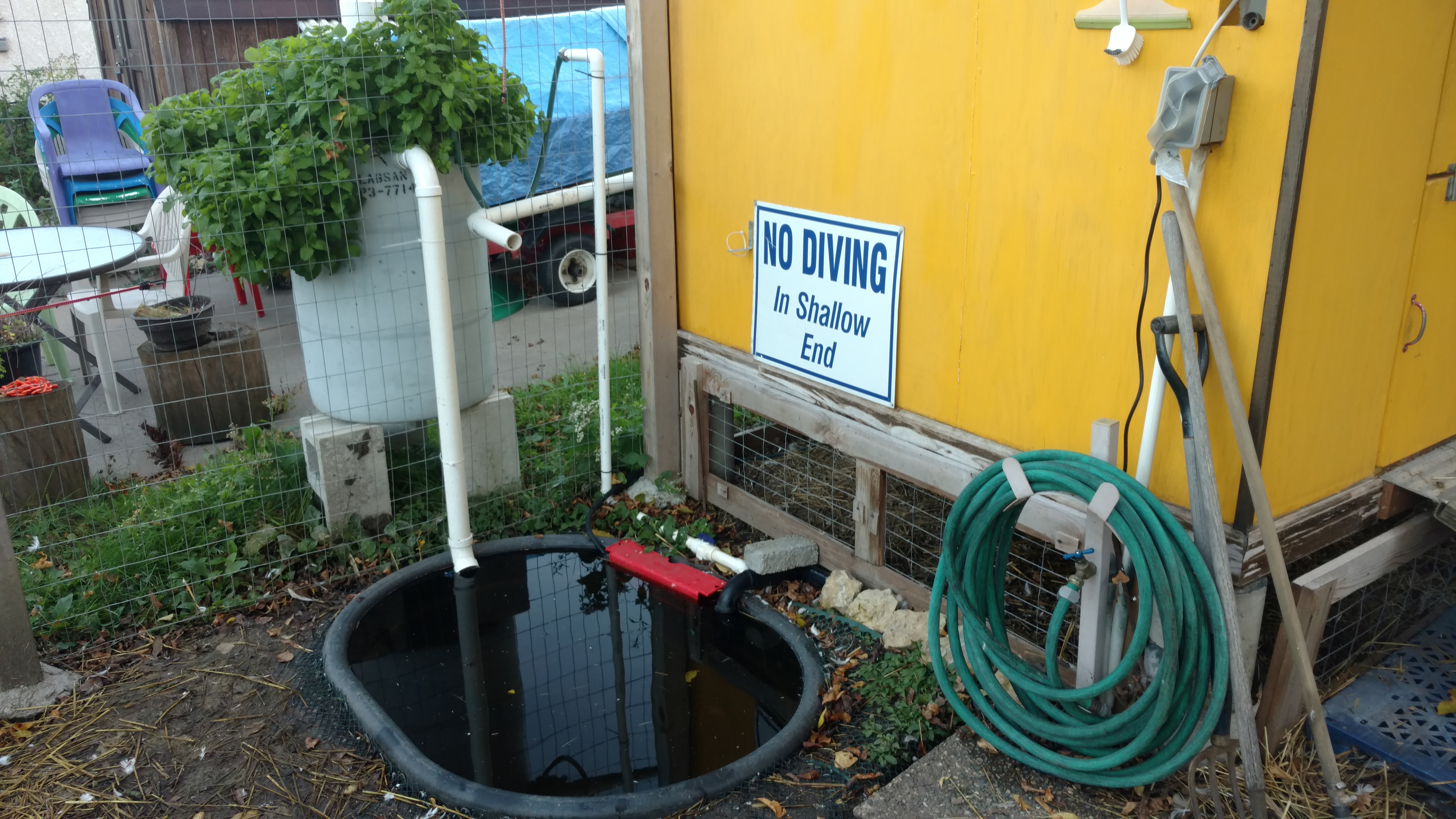
A while ago I posted about our garden pond and homemade filter swamp. Prior to building the fish pond, we did a smaller pond for our pet ducks & goose. This one is basically just a buried stock tank next to the bird coop.

Since water birds produce a lot of umm… “dirt” in the water, we wanted a pretty beefy filter to keep the water clean. The pond includes a submerged pump (Tetrapond 1000) with plumbing that runs up to an external barrel. The barrel drops water into the bottom, then filters it upwards through progressively smaller layers of stones, pumice, gravel, and composite filter media. The filtered water runs off the top of the barrel and back into the pond.

That thing in the center of the barrel is an aerator tower. Water is pumped into the side of the large plastic pipe, which has an opening at the top for air. The water then drops down inside the large pipe, ideally pulling some air along with it and mixing the air in with some nice splashing.

Here’s what the aeration tower looks like before it went into the barrel. The “legs” at the bottom hold up the first layer of filter media (larger rocks / gravel on plastic grating) and maintain an open space at the bottom where solids can settle out. Water comes in near the top of the tower through a small pipe with a 90-degree fitting inside. This makes sure it drops straight down the center of the tower to maximize splashing.

Below shows the tower inserted into the barrel. At the bottom you can see angled pipes with 90s that inject the new water in a circular pattern into the bottom of the tank. This helps stir the bottom chamber to avoid clogs and let the sediment settle out.

Here are a couple rough sketches I made while planning this out. Neither of these shows exactly what we did with the filter media. Some websites suggested things like floor scrubber pads, but we ended up using layers of large rocks, gravel, and pumice, then topped it off with some filter mat rolls intended for koi ponds. The idea is not only to filter out solids, but to create a lot of different-size crevices and surfaces for beneficial bacteria to grow. The bacteria does the bulk of the cleaning by removing dissolved nutrients from the water.

The final setup is seen below. We have water-loving plants growing in the top of the filter barrel. The red thing in the pond is a float valve that tops off the pond from a rain barrel on the bird coop. The other white pipe coming in from behind the coop is an overflow from the rain barrel, so when it’s full the extra rain water also goes to the pond.

So far the filter has worked great through several years of use. Without filtering, the duck pond would grow mats of stringy slimy algae. With the filter, any green stuff grows inside the filter media and the pond water stays crystal clear! In fact, one year we accidentally raised goldfish in the bird pond!

In the winter we shut all this down and drain the whole system so it doesn’t freeze. The barrel filter has a large cleanout valve at the bottom, it’s large enough to stick a hose in and wash out all the sand that builds up. For the winter the birds get a smaller shallow pond (kid’s sandbox) that’s small enough for a submerged heater to keep liquid.

Here’s the video tour of the finished pond system: