Here’s my quick overview video of Secretcon 2025:
And you can find the full video of my talk here:
Here’s my quick overview video of Secretcon 2025:
And you can find the full video of my talk here:
 Leave a Comment » |
  Uncategorized |
  Permalink
 Posted by saveitforparts
Recently I attended (and spoke at) Secretcon 3 in Minneapolis! My slides are below for anyone interested.
My list of satellite links and resources can be found here: https://saveitforparts.wordpress.com/2024/11/12/resources-for-satellite-experimenters-hackers/
Leave a Comment » | Uncategorized | Permalink
Posted by saveitforparts
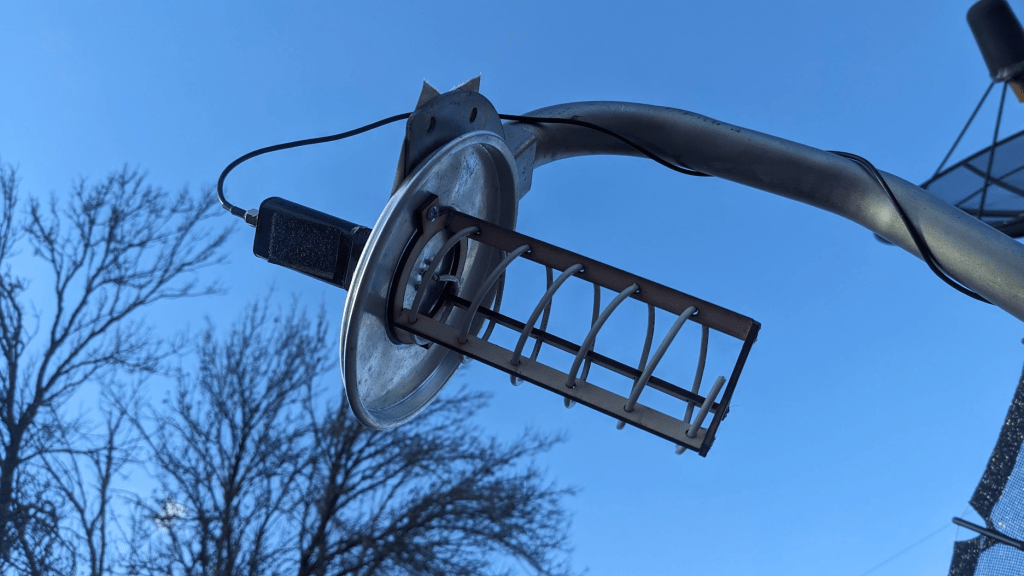
This was an L-Band (~1.7GHz) feed I made for weather satellites like NOAA, Meteor, and MetOp. I’ve previously used some 3D-printed designs like DerekSGC’s (https://www.thingiverse.com/thing:4980180) and T0nito’s (https://www.thingiverse.com/thing:6436342), but my 3D printers often struggle with these.
Since I also have a laser cutter, I decided to try making one out of wood. It’s pretty simple, but works decently well! This one is a left-hand version, but could probably be a right-hand spiral by swapping two of the uprights. In addition to the wood pieces, it needs some kind of ground plane (I used an aluminum pan lid), some stiff wire (I pre-coiled around a 1/5″ PVC pipe), an SMA connector, and an LNA (I like the Nooelec SAWBird+GOES for L-band: https://amzn.to/41CO8sG).
(You also need a satellite dish, but hopefully you already have that if you’re looking for helical feeds!).

You can find the files here: https://www.thingiverse.com/thing:6963608
Or just use the images below. These are sized for 3mm wood, and scaled to 10px/mm. The engrave file can be burned as a raster with engrave power to mark which pieces go where, and the cut file used as a vector / centerline at cutting power.
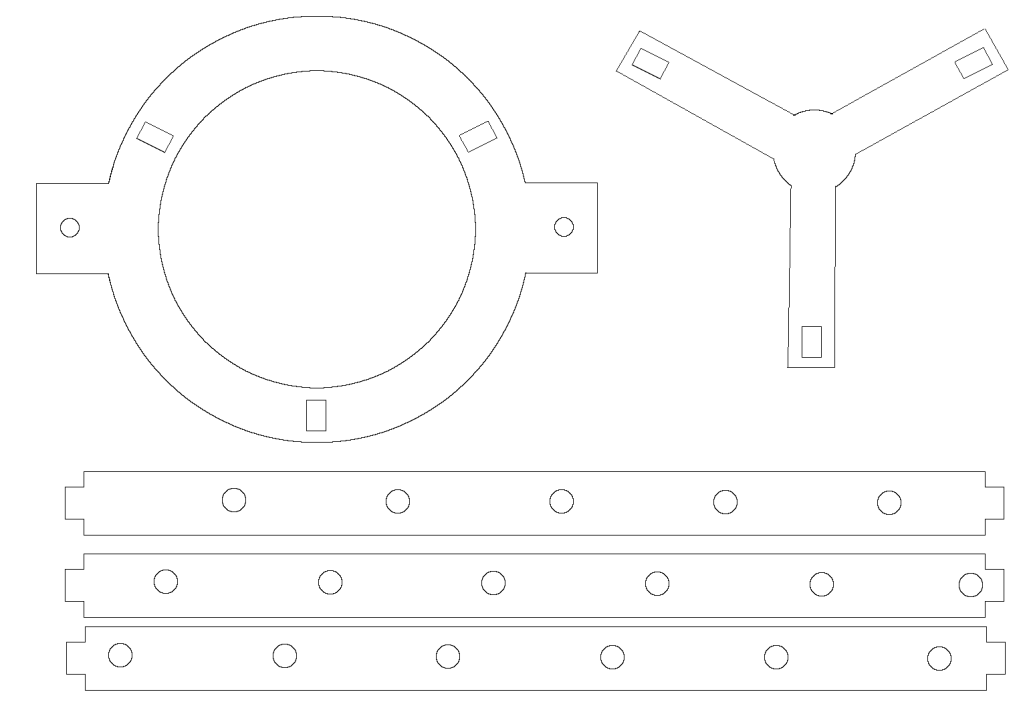

Below is a preview image of what the full cut and engrave should look like (don’t use this file with the laser).
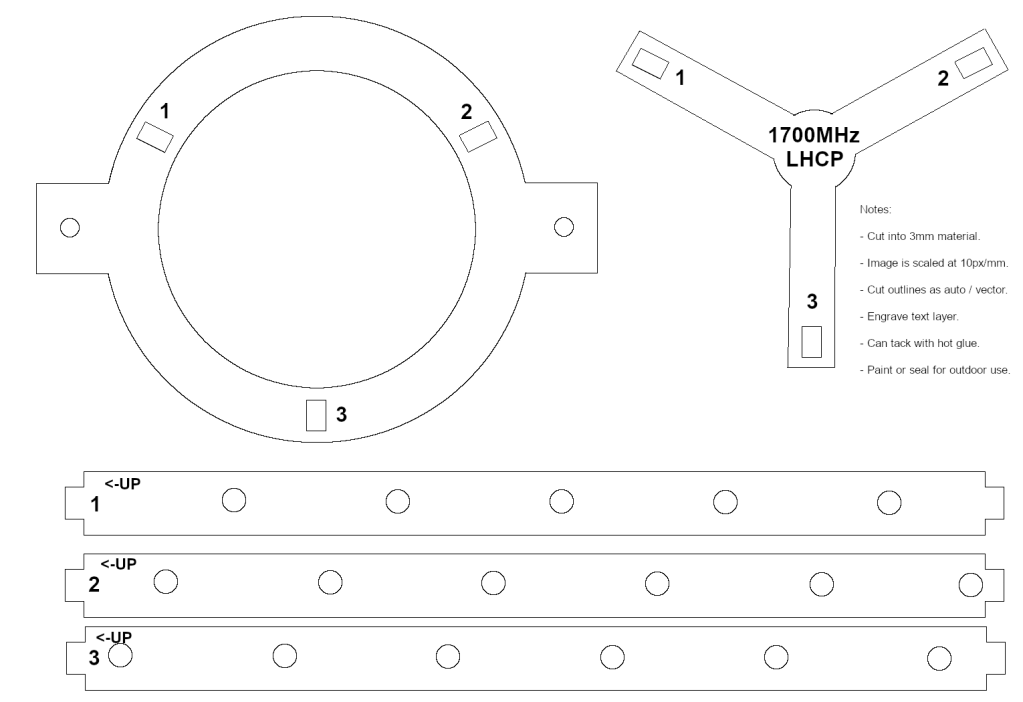

Mine came out a little loose, I tacked it together with hot glue and then more permanent glue. If you use thicker or thinner material you might have to edit the image to re-size some holes and/or tabs.
I have a video of the project here: https://youtu.be/GUHieqIKgMM
Leave a Comment » | Uncategorized | Permalink
Posted by saveitforparts
People keep asking how my folding satellite dish is designed, so here’s a quick tour of it:
And here’s a scan of the user’s manual:
As far as where to find one of these, you’re on your own! Another local radio amateur gave me this one, and I’ve never seen them on the used market. Apparently a company called Sub-Lunar makes modern versions, which you can find at https://sub-lunar.com/products. Sadly they don’t list any prices, and if you have to ask…
Leave a Comment » | Uncategorized | Permalink
Posted by saveitforparts
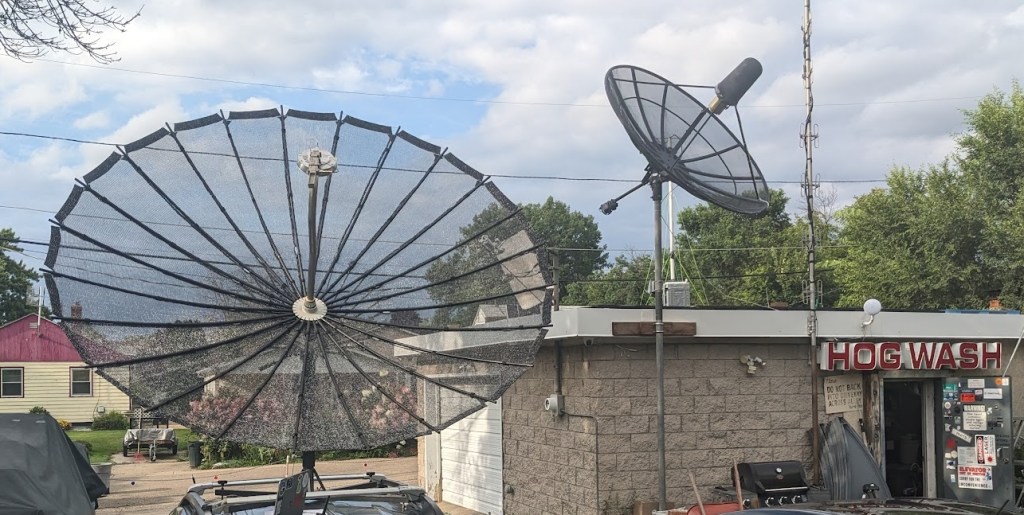
I discuss a variety of satellite and radio projects on my YouTube channel. Satellite tech has become the most popular topic on my channel, even though it’s not what I initially started with! I often get questions from viewers along the lines of “how do I get started in this hobby?”. Personally, I bought the cheapest possible Software-Defined Radio (SDR) and just started messing with it! I’ve since moved on to slightly better SDRs, but there’s a lot you can do with just a $15-$20 unit from eBay and some creativity.
I usually try to include links and details in the descriptions of my videos, but I don’t always make “how-to” or instructional videos. Usually when I film a project, I’m learning right as I’m doing the project, and viewers are seeing me develop a skill as I do it. This isn’t the most efficient way to teach something, as I make plenty of mistakes along the way! My personal learning style involves a LOT of trial-and-error. My projects also involve a significant amount of dumpster-dived material and equipment, so it can be hard to make a “parts list” for someone to replicate what I did!
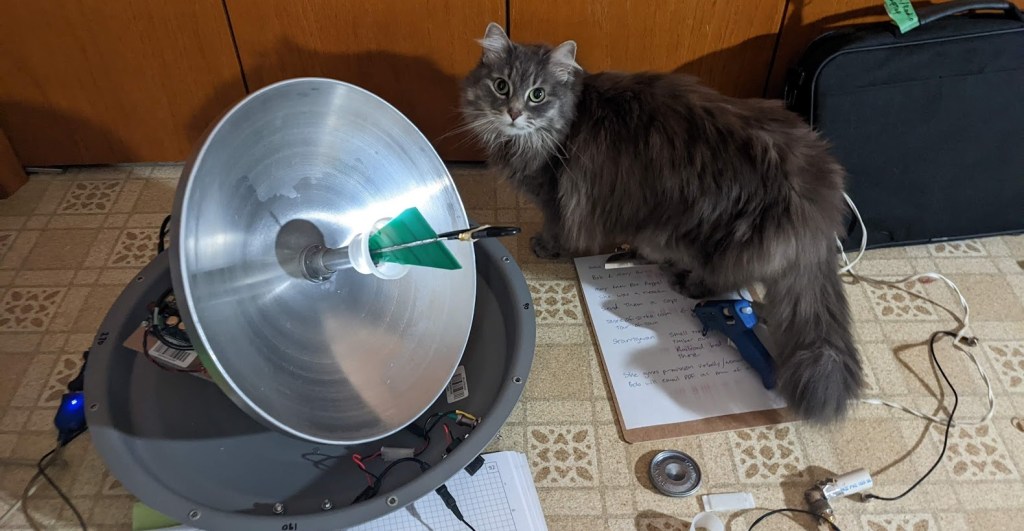
If you are just starting out with the amateur satellite hobby, there are a couple directions you can go. If you’re an amateur (ham) radio operator or just into listening to radio traffic, you can get into amateur repeater satellites pretty easily. The International Space Station is the most powerful and easiest to start with. Some info about that is in the list below.
If you want to start tracking and decoding weather satellites, the low-Earth-orbit Meteor series is probably the easiest to start with. Previously some of the US NOAA satellites used VHF, but the ones with this capability have been retired, so some of the info about them is outdated. As of early 2026, Meteor M2-3 and M2-4 can be received on VHF frequencies with a Software-Defined Radio. Images can be decoded with simple software like SatDump. Once you’re experienced with VHF you can upgrade to the L-band signal available from the same satellites (and some others), although this takes a little more effort and equipment.
If you want to try geostationary satellites, the GOES series (in the Western hemisphere) is a great place to start. However, you will need to find or make a satellite dish slightly larger than what’s normally found on houses today. More info and links are below.
The list below is my attempt to compile helpful resources and links related to satellite experimenting, “hacking”, or other hobby-level activities. Some of these are things I’ve written or filmed, and some are links that have helped me learn.
——————————————————-
“How-To” style videos that I’ve made:
Basics of VHF weather satellites (NOTE! The NOAA series is now retired): https://www.youtube.com/watch?v=icADyjm3PBE
Basics of L-band weather satellites (the next step in difficulty, but still not too hard): https://www.youtube.com/watch?v=w5DyJHMw7aY
How to hack Winegard brand portable satellite dishes: https://www.youtube.com/watch?v=6kQa6nfUkIs
How to listen to the International Space Station’s amateur radio repeater: https://www.youtube.com/watch?v=4TRrqPqxpe8
How to find free satellite dishes: https://www.youtube.com/watch?v=_qX30ayOcDU
TLDW: Craigslist, Facebook Marketplace, and estate sales/auctions are great places to try! You can also contact local TV stations and ask if they have old ones. Or you can post on a classified site offering to remove old unwanted dishes from someone’s yard.
——————————————————-
Other articles or software I’ve written:
A how-to article I wrote about turning small satellite antennas into radio telescopes / microwave imagers: https://saveitforparts.wordpress.com/2024/03/19/my-mini-radiotelescope-made-it-into-the-amsat-journal/
My Winegard microwave radio telescope program: https://github.com/saveitforparts/Carryout-Radio-Telescope/
My Dish Tailgater microwave imager program: https://github.com/saveitforparts/Tailgater-Microwave-Imaging
——————————————————-
Links that have helped me:
Satellite tracking and prediction info, probably the #1 site that I use on a regular basis! https://www.n2yo.com/
A great site for visualizing orbits: https://sky.rogue.space/
Starter guide to VHF weather satellites (NOTE! The NOAA series that used VHF are now retired): https://noaa-apt.mbernardi.com.ar/guide.html
More technical info on the APT format used by some weather satellites: https://open-weather.community/open-weather-apt-guide/
Info on receiving Russian “Meteor” satellites (currently the easiest place to start): https://blog.chaospixel.com/linux/2019/12/receive-meteor-satellite-images-with-rtlsdr-gqrx-linux.html
Good basic intro to receiving US weather satellites (NOAA VHF series are retired, but GOES is still available): https://hamsignal.com/blog/this-is-major-tom-to-ground-control
Step-by-step guide to geostationary weather satellites like GOES and GK-2A: https://www.rtl-sdr.com/rtl-sdr-com-goes-16-17-and-gk-2a-weather-satellite-reception-comprehensive-tutorial/
USRadioGuy has some great stuff! His whole site usradioguy.com is super useful. This is his page on Geostationary satellites: https://usradioguy.com/goes-satellite-imagery-reception/
USRadioGuy’s page on low-earth-orbit weather satellites: https://usradioguy.com/noaa-apt-reception/
SGCDerek’s guide to HRPT satellite signals: https://sgcderek.github.io/blog/beginner-hrpt-guide.html
Various satellite frequencies and info: https://uhf-satcom.com/satellite-reception/uhf
More satellite frequencies: https://www.satdump.org/Satellite-List/
Even more satellite frequencies: https://sgcderek.github.io/satfreq/
Using a Raspberry Pi computer for automated (low-earth-orbit) weather satellite downloads: https://www.instructables.com/Raspberry-Pi-NOAA-Weather-Satellite-Receiver/
How to make a DIY motorized satellite tracker (rotor): https://www.sarcnet.org/rotator-mk1.html
International Space Station radio repeater info: https://www.ariss.org/current-status-of-iss-stations.html
CHIRP software for Baofeng and similar radios: https://chirp.danplanet.com/projects/chirp/wiki/Home
Improved squelch settings for Baofeng radios: https://www.miklor.com/COM/UV_Squelch.php
Commercial / TV Satellite info: https://www.lyngsat.com/
Another TV satellite resource: https://www.satbeams.com/
This is a great site for aiming dishes at geostationary satellites: https://www.dishpointer.com/
S-band satellite info (more challenging, and something I’m still learning!): https://www.a-centauri.com/articoli/the-definitive-s-band-satellite-guide
An open source Cubesat project that invites people to set up their own receiver stations: https://wiki.satnogs.org/Main_Page
How to make a simple Yagi antenna for ham radio satellites: https://www.instructables.com/The-Tape-Measure-Antenna/
How to modify GPS antennas for L-band use: https://wiki.muc.ccc.de/iridium:antennas
Making a “cantenna” for GOES: https://lucasteske.dev/2016/10/goes-satellite-hunt-part-1-antenna-system/
3D-printable helical antenna feeds: https://www.thingiverse.com/thing:4980180
Homemade QFH antenna for NOAA and Meteor satellites: https://usradioguy.com/wp-content/uploads/2020/05/20200307-How-To-Build-A-QFH.pdf
Good source of SDR project ideas: https://www.rtl-sdr.com/
——————————————————-
Products and devices I’ve used:
(These affiliate links give me a little kickback from Amazon if you buy from them)
RTL-SDR that I’ve used for many projects: https://amzn.to/3BK54nU
Nooelec VHF filter / amplifier for weather satellites: https://amzn.to/4haNp96
Nooelec L-band Low-Noise Amplifier and Filter: https://amzn.to/4dP8Auf
Combination dish and radio setup for GOES and L-band satellites: https://amzn.to/3YdsiKD
(I have not personally used this entire combo, but I’ve heard good things about it).
Higher-end HackRF One SDR with more features: https://amzn.to/3BL0Zj3
——————————————————-
Useful (and mostly free!) software:
SatDump is probably the single most useful program for decoding almost any satellite signal you’ll come across: https://www.satdump.org/download/
SDR++ is a powerful interface for Software-Defined Radios: https://www.sdrpp.org/
I used to prefer GQRX, and still use it on some computers, as it’s a simpler SDR interface: https://www.gqrx.dk/
MMSSTV for decoding Slow-Scan Television images: https://hamsoft.ca/pages/mmsstv.php
GOEStools for Geostationary Operating Environment Satellites: https://github.com/pietern/goestools
Raspberry-NOAA is a great program for setting up a dedicated NOAA / Meteor downloading station using a Raspberry Pi computer: https://github.com/jekhokie/raspberry-noaa-v2
——————————————————-
Other places to learn:
Reddit has some decent forums for beginners:
https://www.reddit.com/r/amateursatellites/
https://www.reddit.com/r/RTLSDR/
There’s a group chat for the SatDump software: https://matrix.to/#/#satdump:altillimity.com
——————————————————-
Some other videos I’ve made on specific satellite projects (not as much how-to, more of me just messing around):
An automated satellite tracker made from an old security camera pan/tilt mount: https://www.youtube.com/watch?v=8Gz17Mv7RU0
Pirate radio on UHF military satellites: https://www.youtube.com/watch?v=HT2i7mFpFxM
GOES weather satellites:
With a modified TV dish: https://www.youtube.com/watch?v=EK8mFrxxSbY
With a slightly larger TV dish: https://www.youtube.com/watch?v=cb8taCjVigA
SSTV / Cubesat: https://www.youtube.com/watch?v=WRl7ewRimIM
Using an umbrella as a satellite dish: https://www.youtube.com/watch?v=zM84sSXFL0Y
Detecting Starlink beacons: https://www.youtube.com/watch?v=5cwEkhFdXGw
Raspberry-NOAA and QFH antenna setup for VHF weather satellites: https://www.youtube.com/watch?v=WM99A1uUprQ
Hacking a Winegard Trav’ler RV dish: https://www.youtube.com/watch?v=sn-Ayr4j6Ac
Microwave imaging with a hacked TV dish: https://www.youtube.com/watch?v=lVOTZxNCgTM
——————————————————-
Hopefully this has been somewhat useful! You can always email me (gabe@saveitforparts.com) although I don’t always reply in a timely manner!
Leave a Comment » | Uncategorized | Tagged: astronomy, india, radio, space, technology | Permalink
Posted by saveitforparts

There’s something about the 1980s “Luggable” computer form factor that just gets me. Maybe its because I always wanted one in the ’80s, or the retro-future look, or just the convenience of having all your ports and interfaces conveniently on the front. Whatever it is, I’ve been sketching out designs for a DIY version for a while now.
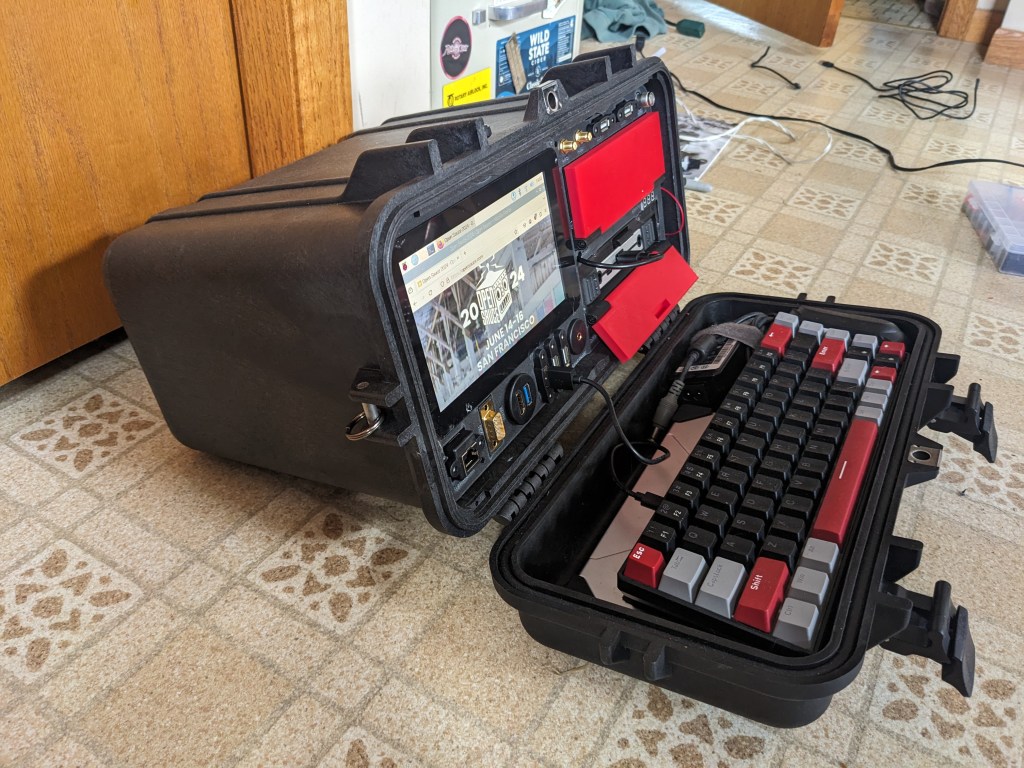
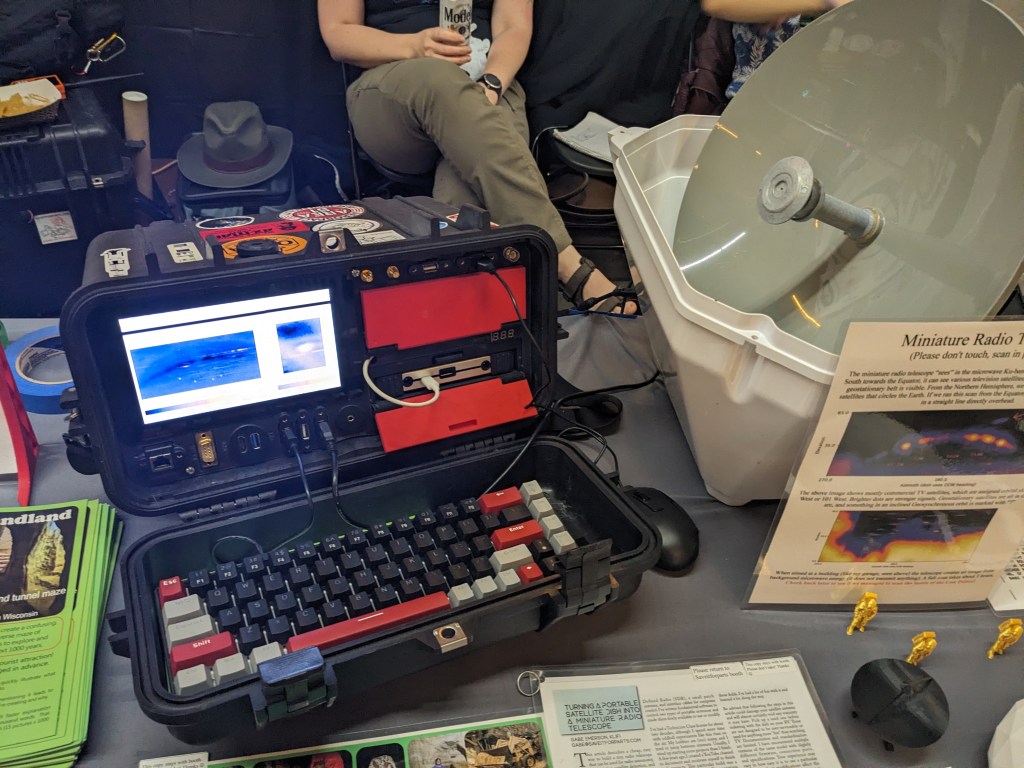
This version uses a Pelican 1340 case, slightly modified to remove some internal lumps and protrusions. The brain is a Raspberry Pi 4 with 7″ screen. I laser-cut a custom front panel and 3D-printed the “Drive Bays” (files available here: https://www.thingiverse.com/thing:6672979)
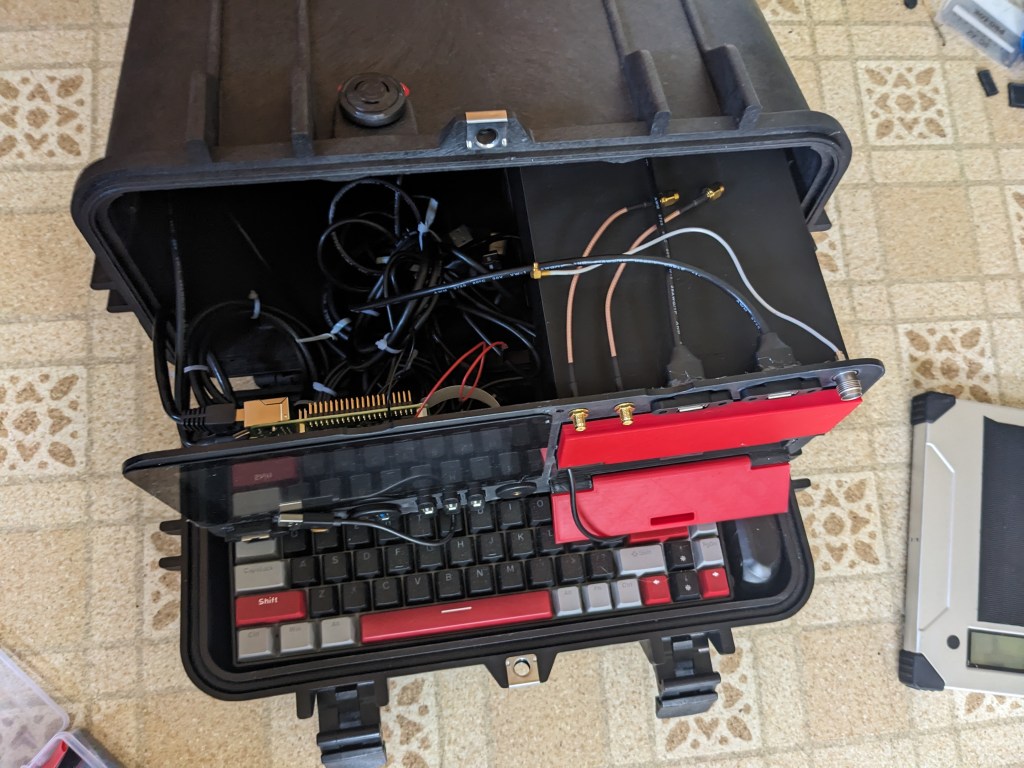

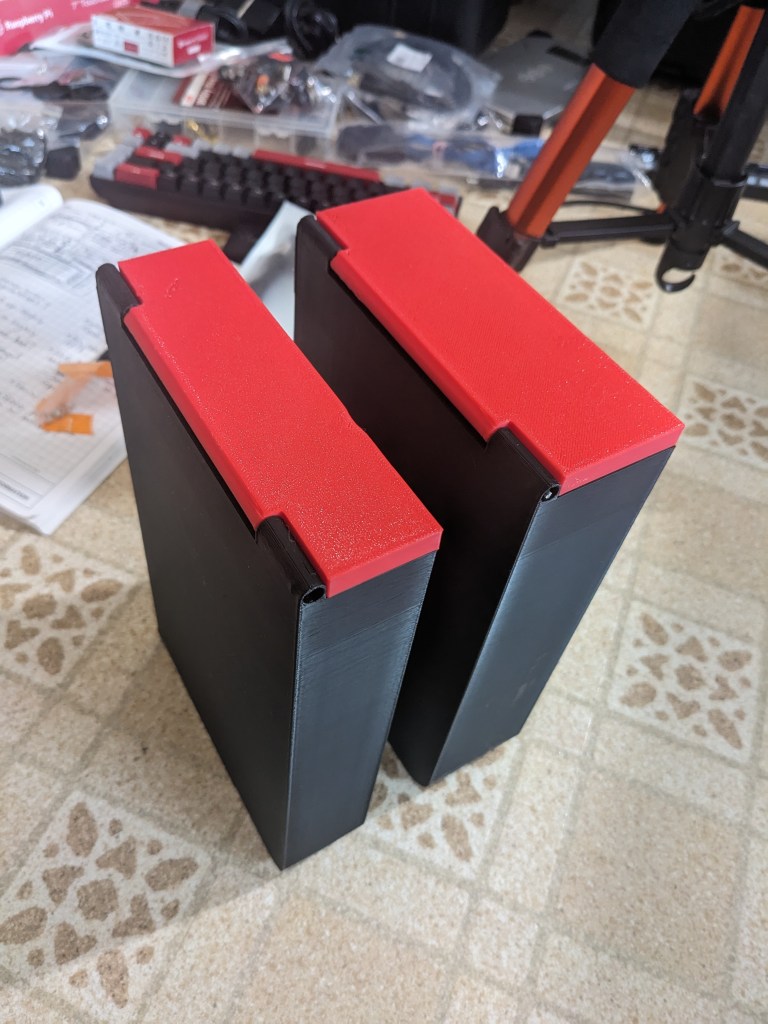
The larger top “drive bay” holds an accessory set (adapters, SDR, etc) store in a small tackle box. The bottom bay holds a Voltaic V88 battery pack. I picked up a few of these at a local surplus auction and I really like them. They are small enough to be legal in carry-on luggage, but powerful enough to keep the Raspberry Pi running for 4+ hours. They can output a variety of voltages through the barrel plug, can be charged with various input voltages, and can also output USB QC and USB C. They’re all-around a great external battery for your laptop or projects like this.

The Cyberdeck is great for running my satellite antennas and other SDR projects. Despite not having much cooling and being a black case, it seems to run just fine outside in the sun. And yes, I have an old bathtub in my yard next to the satellite hacking deck. I guess I’m a space redneck or something.

Almost immediately after building this deck, I found a real live Osborne 1 luggable at another auction. That will appear in a future video as soon as I re-cap the power supply.
This cyberdeck is great not only for my satellite experiments on the go, it was also a fantastic part of my exhibit booth at Open Sauce 2024, a Youtube/maker/science convention in San Francisco. I used the deck to run one of my hacked satellite antennas for microwave imaging. It was a real attention-grabber at the booth and I think more people may have stopped to look at the deck vs the dish!

The build video for this cyberdeck can be found below:
You can also find my earlier (and less refined) cyberdeck project here: https://saveitforparts.wordpress.com/2023/02/08/the-saveitforparts-spacedeck-v1-a-cyberdeck-for-space/
Leave a Comment » | Uncategorized | Permalink
Posted by saveitforparts
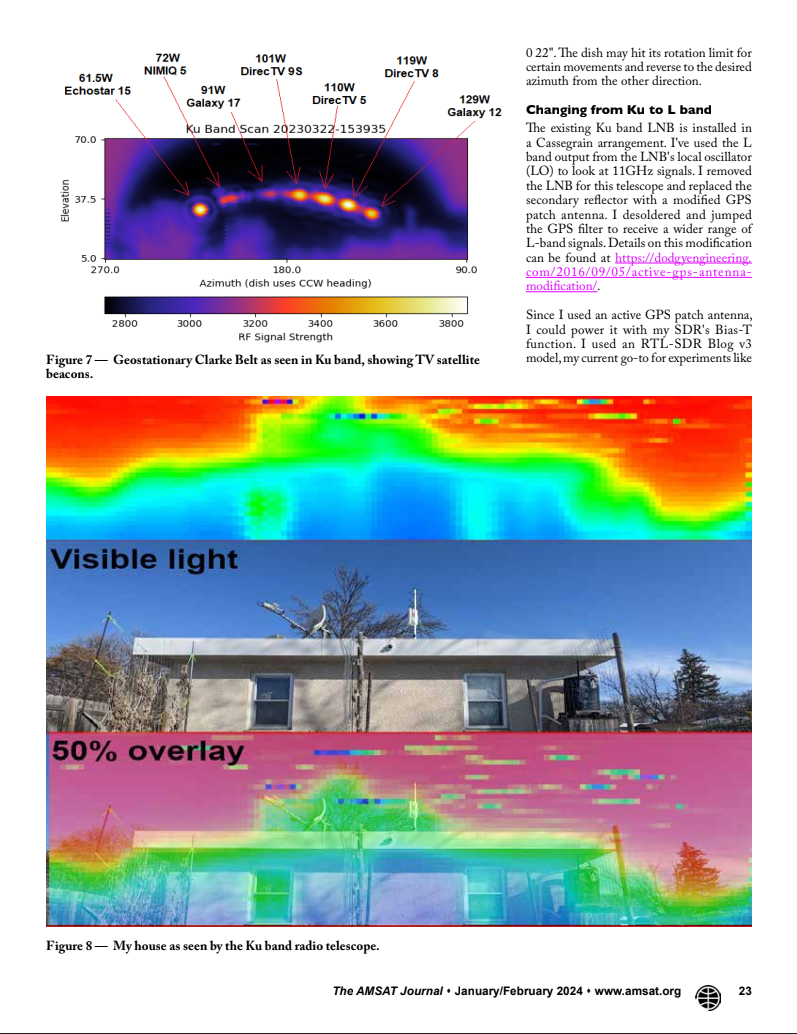
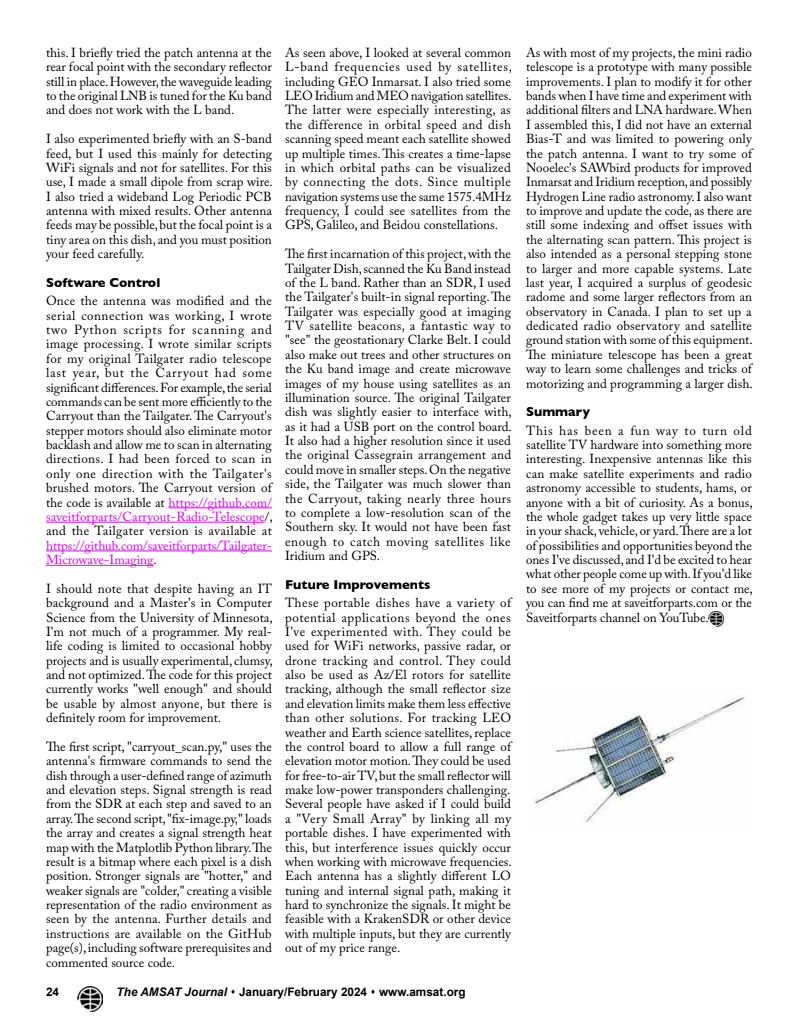
A few weeks ago I was invited to write an article for the AMSAT Journal, an online magazine of amateur satellite communications. The article is now out, in the January/February issue! You can see my article below, or you can subscribe to the journal to read all the articles in this issue and back issues! It’s a fascinating magazine, and I just subscribed myself!


Leave a Comment » | Uncategorized | Permalink
Posted by saveitforparts
I’ve wanted an azimuth/elevation mount for a while, but never had the money for a real one! Even used models go for $700 and up, so the sticker shock always kept me away. Building my own always seemed complicated and confusing, since it combined all the skills I’m only sort of OK at. Aligning motors, balancing things, programming motion, reading a sensor, and automating the whole rig just seemed like a lot of work!
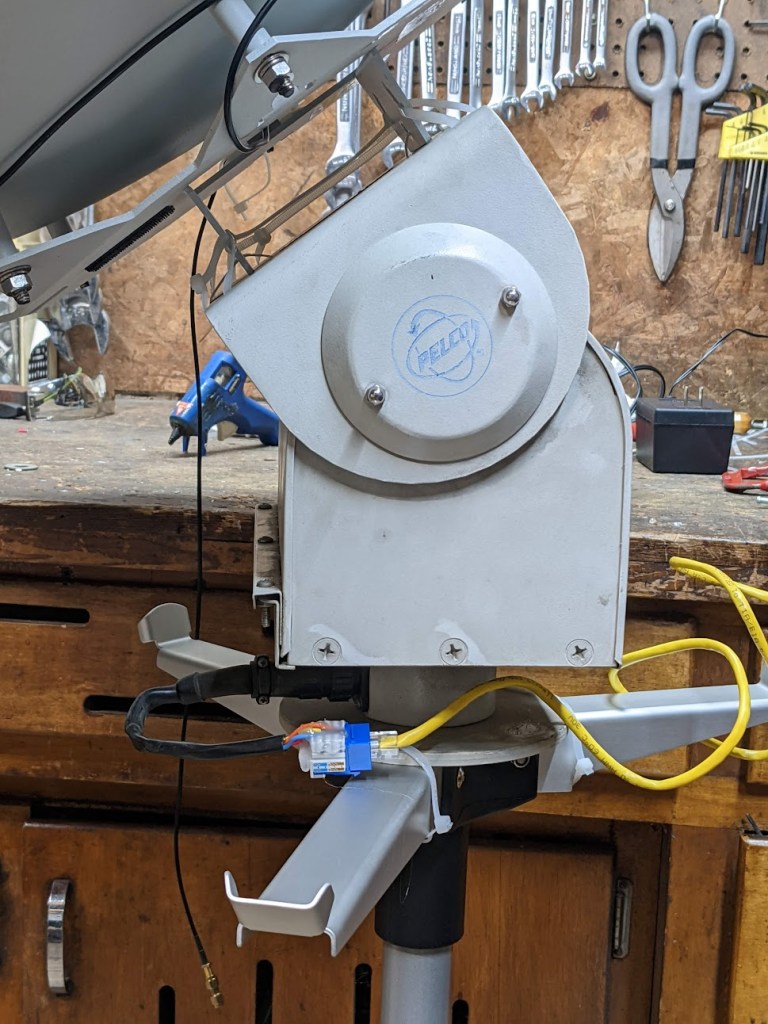
Fortunately, a few factors made this project relatively easy! First, I got a used pan/tilt camera mount from Ax-Man Surplus. This is a nice robust unit designed to move old-fashioned heavy security cameras, so it can take some weight and doesn’t need too much balancing.

Next, I discovered I could modify the design and code from the SARCNET Mk1 Tracker to use this camera mount. The original project had options for different motors, including a homemade mount assembly and a pair of regular old TV antenna rotors. My camera mount was functionally and electrically similar enough to a pair of rotors that it worked just fine! The main modification I did to the mount was to remove the side cover and slide the vertical limit switches farther apart. This lets me move the mount a full 180 degrees. So far the tracking software hasn’t needed to go a full 180, for overhead passes it just spins the dish and then goes back down the other side. If your camera mount can do a 90-degree elevation, that should be sufficient.
The SARCNET project is aimed at Yagi-Uda antennas for 2m and 70cm (VHF/UHF). This is a typical setup for contact hamsats and talking through the amateur radio repeater on the International Space Station. I wanted to use a parabolic dish for L-band (~1700Mhz). That would let me receive images from satellites like the NOAA POES series, Russian METEOR series, European METOP satellites, etc. While some of these satellites also transmit images on VHF, the L-band signals are higher bandwidth, higher-quality images and contain more data. The VHF signals can be received with a stationary antenna like my QFH rig, but L-band usually requires an aimed directional antenna that tracks the satellite as it passes overhead.
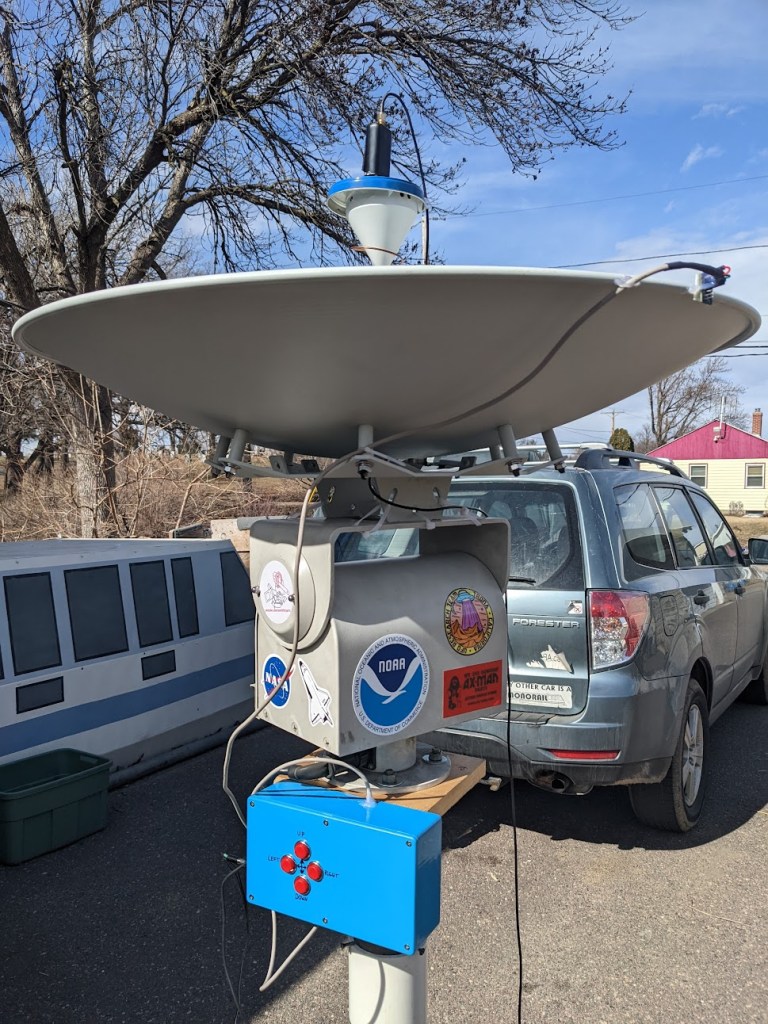
My take on the SARCNET Rotator worked great with a dish! I’ve used this dish for other projects in the past, it was originally a 5.8ghz wireless network antenna, given to me by another local ham. This project would also work with a Wifi grid dish or any small lightweight antenna (even an umbrella covered in foil!). Note that this is a pretty beefy pan/tilt mount, mine is a model PT570. It can handle my reflector without any counterweights, but if you use a lighter-duty camera mount you may need to balance it with a weight opposite the dish. Some larger pan/tilt mounts do exist, and some apparently have built-in position sensors. Mine just has 5 wires for control. One common, and one for each of the 4 motion directions.
My control box was also slightly different than what SARCNET used. I had a slightly different Arduino, and I couldn’t find the Triac control board they suggested. I ended up using relays to run the motor, which seems to work just fine. The things do make a lot of clicking and clunking at low speed and for fine tuning, so hopefully I’m not wearing them out too fast! They only cost a few dollars on Amazon, so I’m not too concerned. I’m using the same sensor suggested by SARCNET (the LSM303DLHC). Calibrating it is a little fiddly and took me a couple tries. They have a video about the process here.

My wiring is pretty messy in the above photo, so here’s a diagram of what I did:

I mounted the parabolic dish flat on the top of the camera mount, and placed the sensor at the rim of the dish. My reflector is made of aluminum, so it doesn’t affect the sensitivity of the accelerometer / compass chip. I had previously tried placing it closer to the base of the dish, but the sensor was confused by the motors in the camera mount.
For the radio system, I’m using an RTL-SDR Blog v4 on a laptop, connected to a Nooelec SAWBIRD GOES on the dish (these links give me a small Amazon kickback if you buy from them!)
I followed the Compilation and Set To Work instructions on the SARCNET website. Once the Arduino code is loaded, and I had Hamlib and Gpredict on my PC, my procedure for use is as follows (using Linux):
Ensure rotor has enough play to follow sat (check position of cut-off switches underneath)
Dish will run to initial Acquisition of Signal (AOS) position and wait
If serial connection crashes (rotctld window start showing errors and dish stops moving)
Settings for Gpredict:

Recording and processing the satellite pass is the same as with a handheld dish. I use N2YO.com to look for upcoming passes (Select your satellite, like NOAA 18, click on “10 Day Predictions”, then “All Passes”, and look for ones with a high El number for the max altitude.
My procedure for each pass is as follows:
As with all of my projects, this too plenty of trial and error, and didn’t work right on the first few tries. Eventually everything came together and worked smoothly! I’m looking forward to repeating this with some other types of antennas, like VHF/UHF Yagis. I’m also planning to do a bigger dish in the near future!
Leave a Comment » | Uncategorized | Permalink
Posted by saveitforparts

I’ve previously modified a small portable satellite dish into a radio telescope. Since I keep finding these little dishes on the used market, I figured I’d try it with another brand. This particular dish is a “Winegard Carryout”.
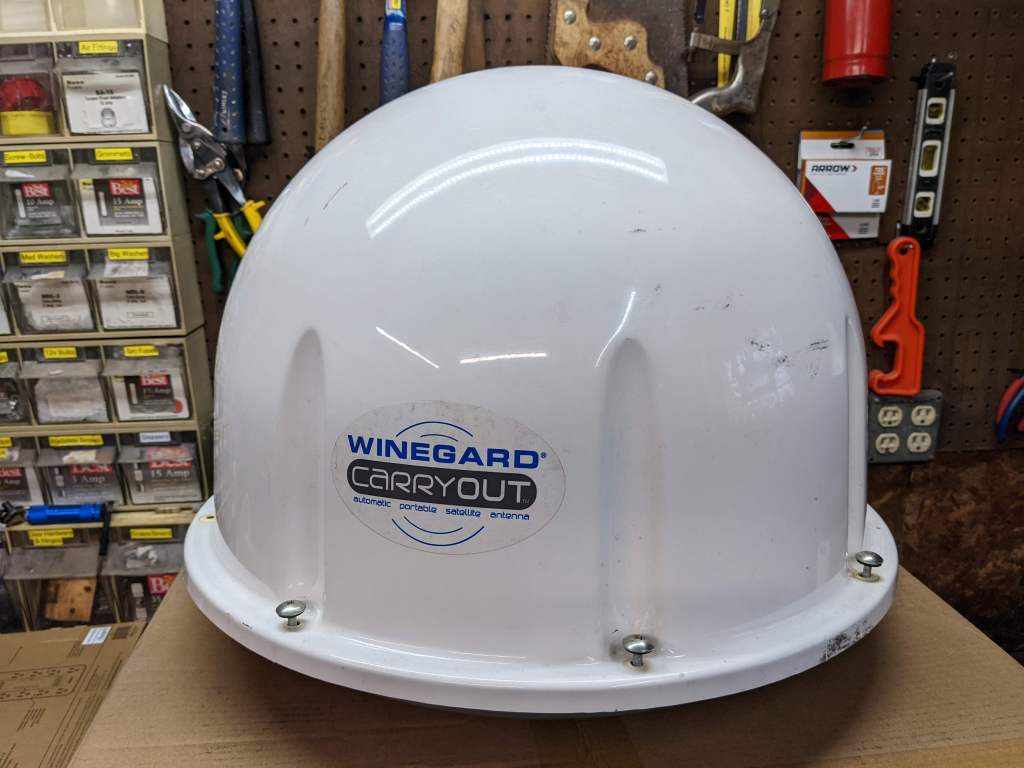
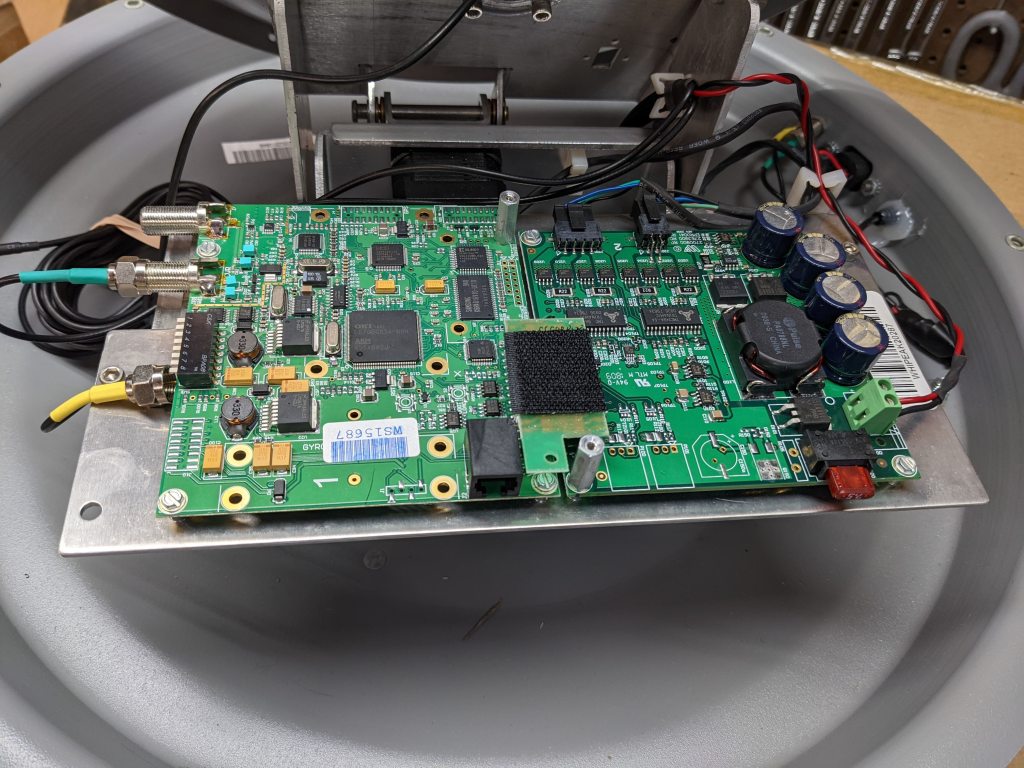
It appears to have an ARM-based control board with a stepper motor daughterboard. The only interface I’ve been able to use is an obscure RS-485 to RJ25 jack.
I had initially showed this on my Youtube channel, and then shoved it onto the ever-growing “to-do” pile. A viewer commented that they could get a serial console with some cable adapter trickery. A USB-to-RS232 cable goes to a Dtech RS232-RS485 adapter, then to a custom RJ-25 cable (6-conductor phone cord). It looks like this:
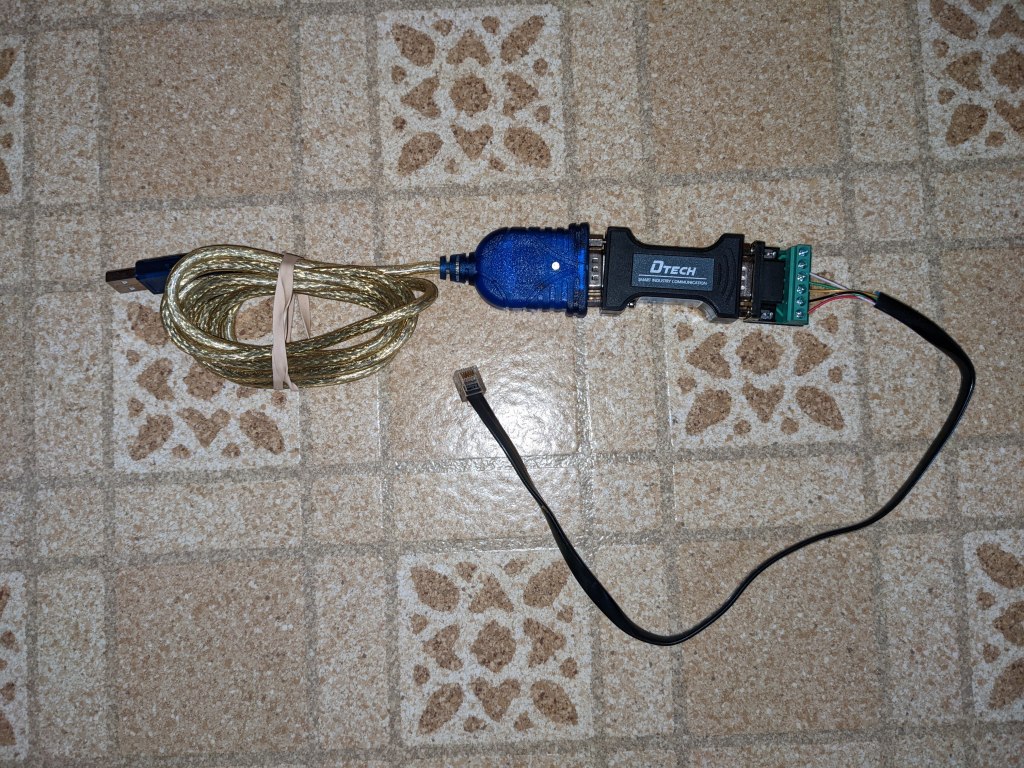

I was able to duplicate this and connect to the console port on the antenna’s brain. I modified my Dish Tailgater code to drive the dish and read signal strength. This time, instead of using the onboard Ku-band LNB, I stuck an L-band patch antenna on the dish and used a Software Defined Radio to read the signals.
You can find my half-assed Python code here: https://github.com/saveitforparts/Carryout-Radio-Telescope/
I’m using an RTL-SDR Blog V3. They seem to be out of stock, but you can get the RTL-SDR Blog v4 for the same price! (link goes to my Amazon affiliate page and gives me a commission if you buy one)
Here’s some info on the L-band patch I’m using. These little antennas are $5 at Ax-Man surplus, or you can find them on eBay.
wiki.muc.ccc.de/iridium:antennas
dodgyengineering.com/2016/09/05/active-gps-antenna-modification/
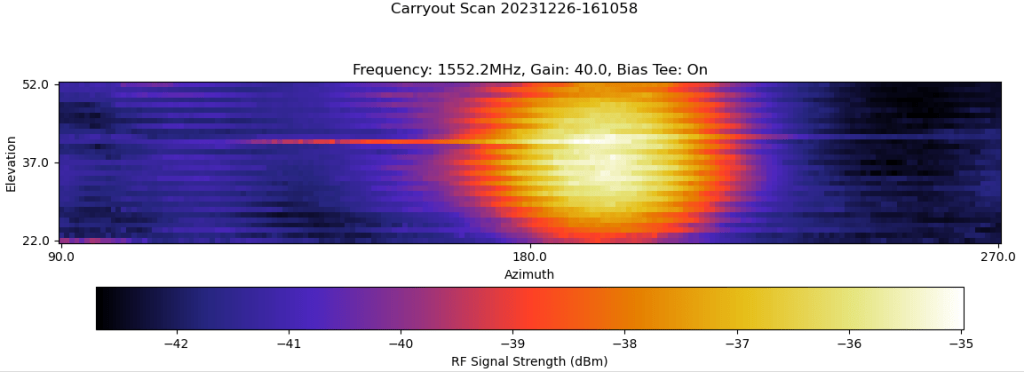
After about two weeks of struggling with the code, feed, motor indexing, and other issues, I finally got a couple images of various L-band satellites. This is what the satellites look like in radio frequencies as they pass over my location.
First up is Inmarsat-4 F3. This is a geostationary satellite, so to me it looks like a fixed point source in the sky:
Next are some navigation satellites. These are in Medium Earth Orbits, so they move slowly enough (from my viewpoint) that the dish caught them multiple times along their orbital tracks. This frequency is used by GPS, European Gallileo, and Chinese Beidou satellites, so I could be seeing a combination of different systems (Russian satellites use a different frequency).
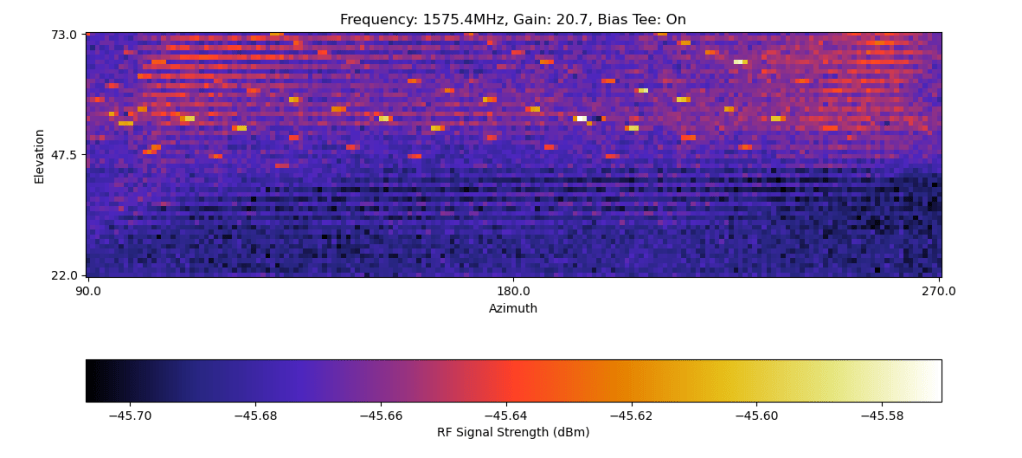
Here’s my attempt to trace each path in MS-Paint for more clarity:
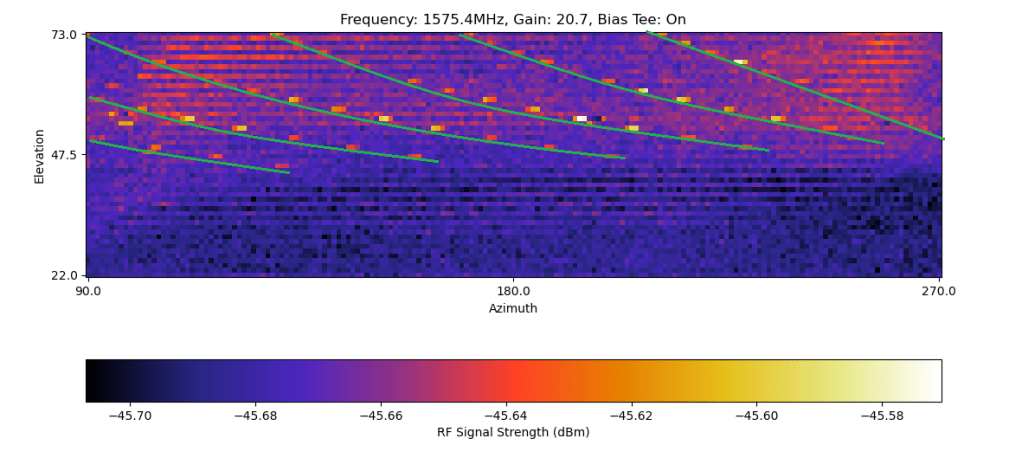
And finally, here’s a Low-Earth-Orbit Iridium satellite. This went over pretty quickly and appears as a long streak on the left. I scanned with a more limited azimuth to try catching this faster, but I still almost missed it.

I also tried looking at Wifi frequencies (using a Ham-It-Down converter to get into the 2.4ghz band). However, this didn’t work as well, either due to my feed or my code.
I have a few more issues to work out, such as the choppy image that seems to alternate clockwise and counterclocksise motions with different signal strengths. This could be due to a number of things, and I never quite figured it out. I’d also like to try other frequency ranges, like more S-band, Wifi, and fainter L-band signals like GOES. Those improvements will probably have to wait for next year!
My video on the project is here: https://youtu.be/4a2HjE11DcQ
1 Comment | Uncategorized | Permalink
Posted by saveitforparts
Recently I was browsing through the USGS Earth Explorer website, looking for historic aerials for another project I’m working on. I came across a set of 1965 aerial photos of Funter Bay that I don’t think I’ve seen before.

The photos run in a series of 4, going approximately North to South over the West side of the bay. They clearly show the Thlinket Packing Co cannery (owned by Peter Pan Seafoods at the time).
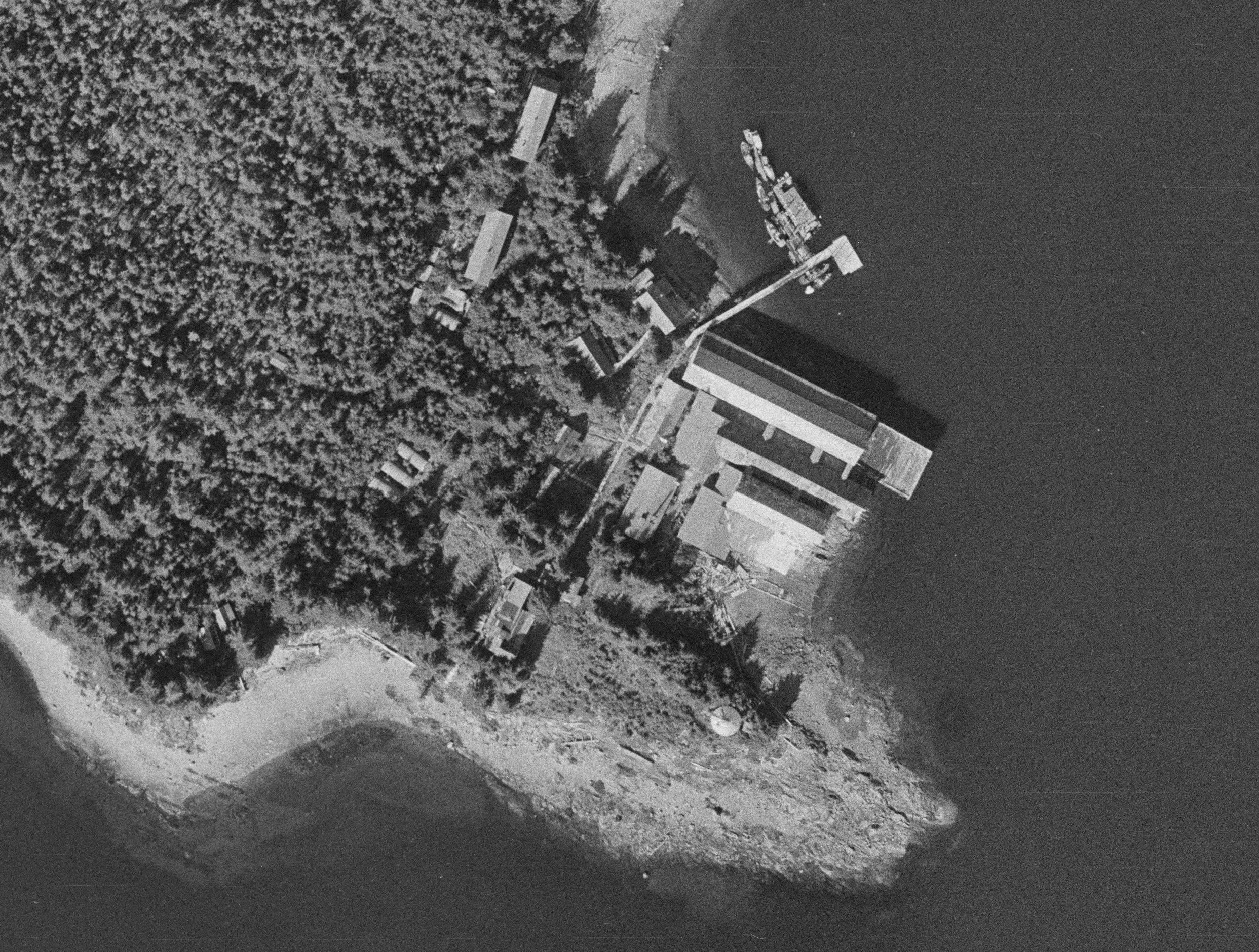
These are pretty high-resolution photos, I’m only able to post snippets here since the full size images are huge! Other areas of detail include several homes and cabins, like Harold and Mary Hargrave’s place:
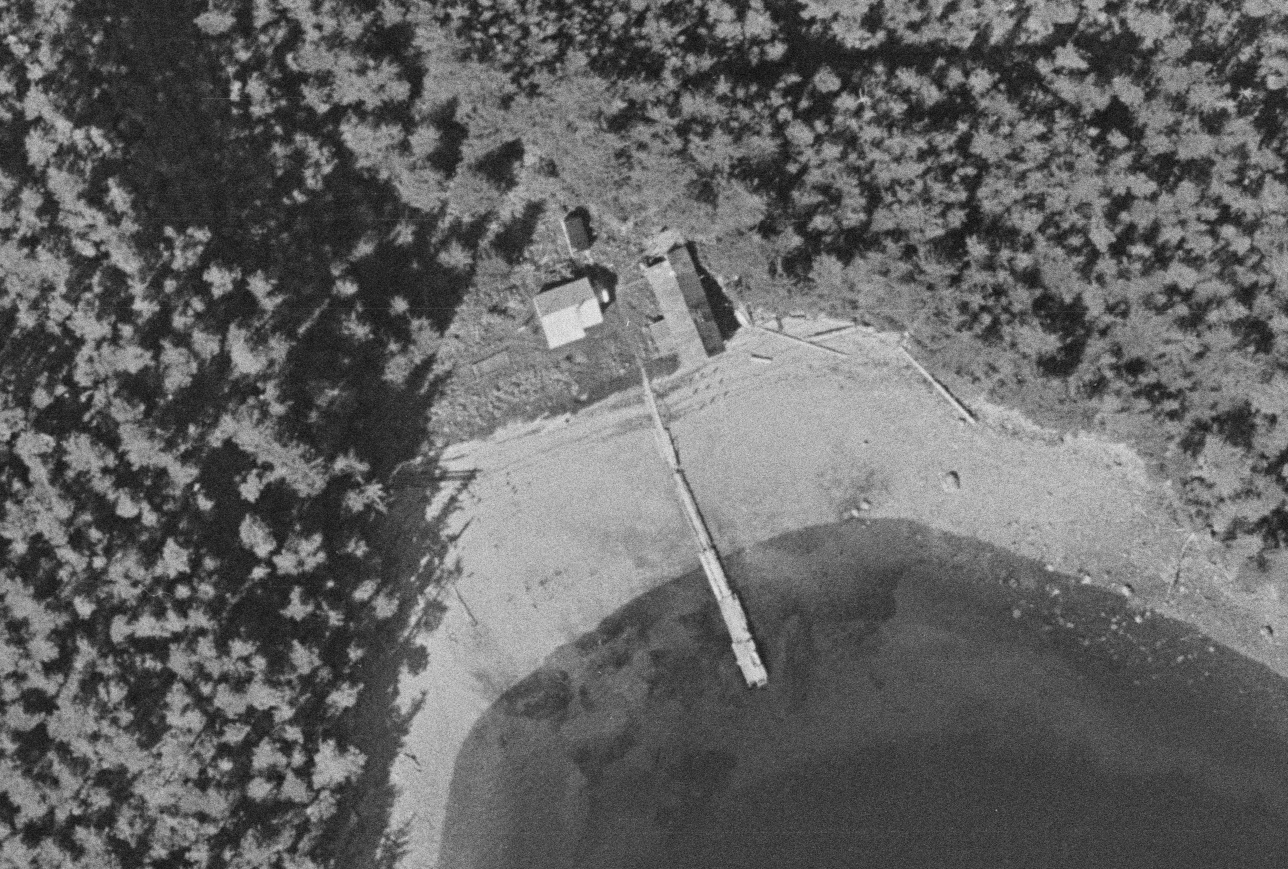
You can also see the “neighborhood” where I grew up, Crab Cove. This was before most of the modern houses and cabins were built, some of the structures seen here were later torn down or incorporated into larger buildings. My family’s house would be near the top middle, between the creek and the railroad-like marine slipway
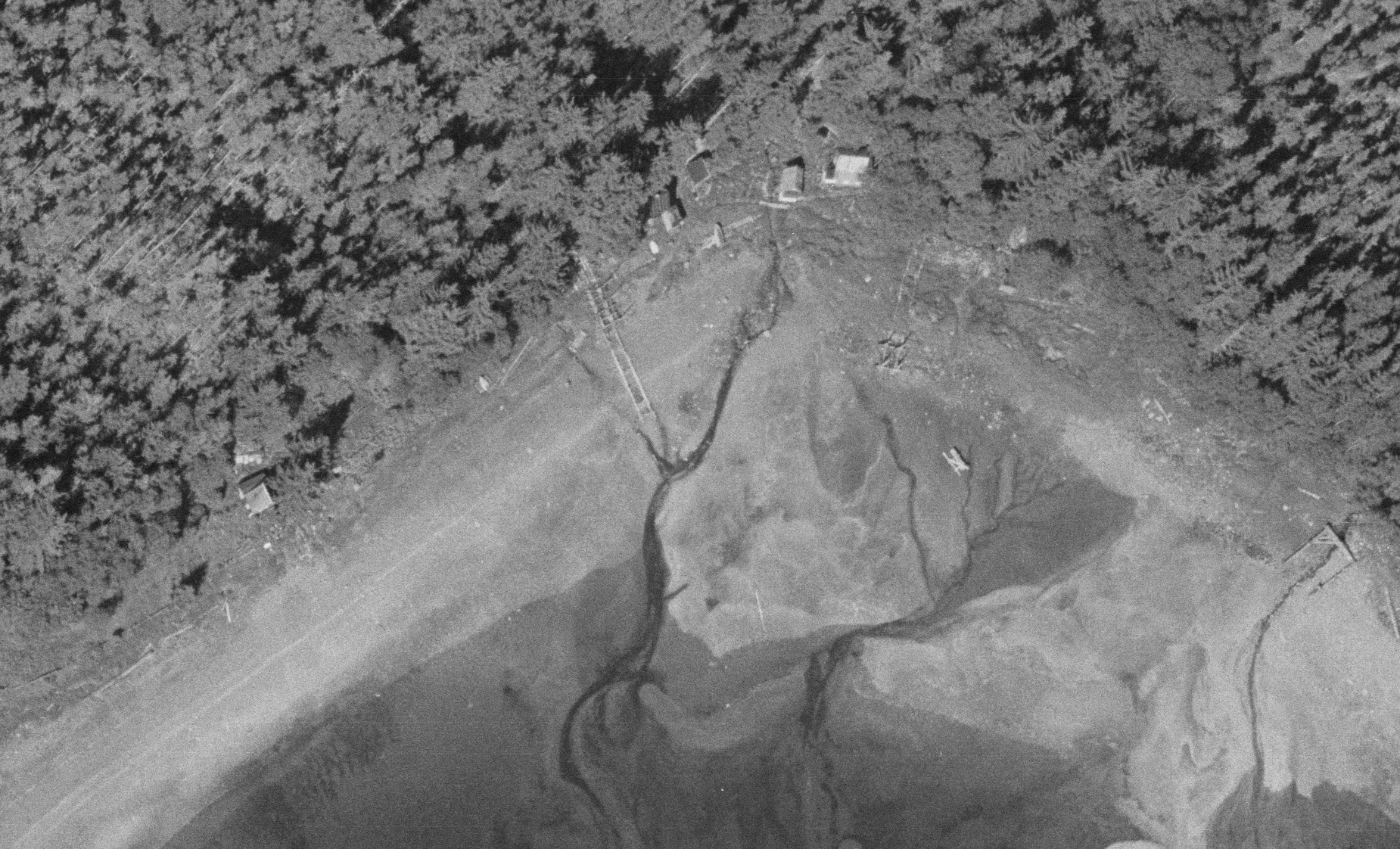
These photos were taken on July 8th, 1965, during the fishing season. The time may have been later in the evening, as you can see several salmon trollers anchored or reversing to anchor:

You can also see various ruins and abandoned relics around the bay, such as the old Keeler Cabin (upper middle):
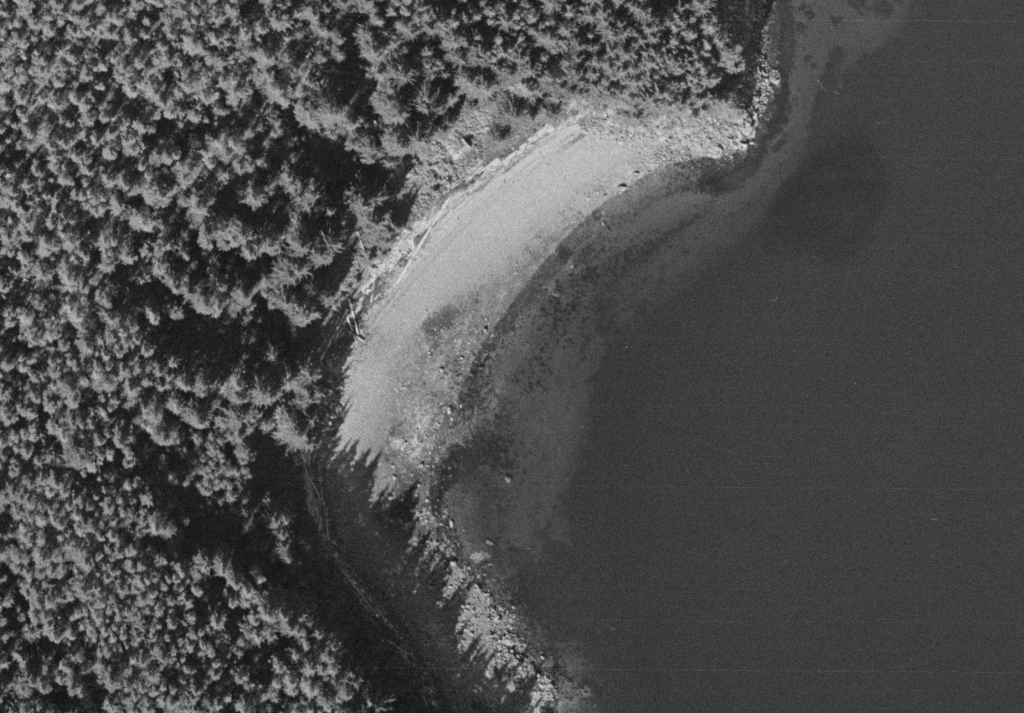
The wreck of the Nimrod:
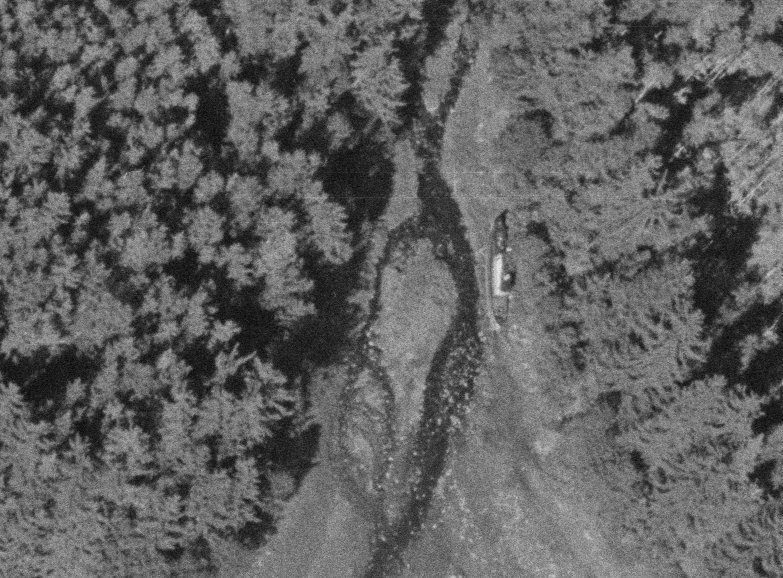
And another wreck, likely one of the cannery tender vessels, next to some abandoned fish trap frames:

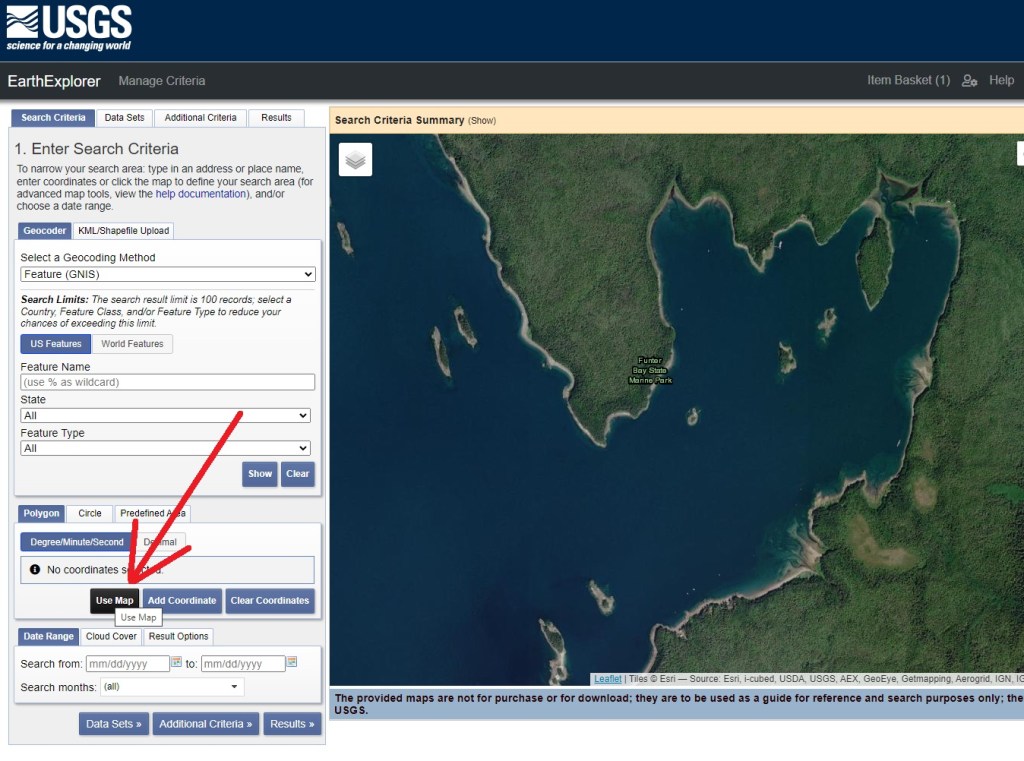
The original images are far too large for my website, at ~250mb each. You can find them on https://earthexplorer.usgs.gov/ with the following steps:
– Scroll to Funter Bay (or other area of interest). Make sure the area you want to search is centered in the website, as seen below, and click “Use Map”:
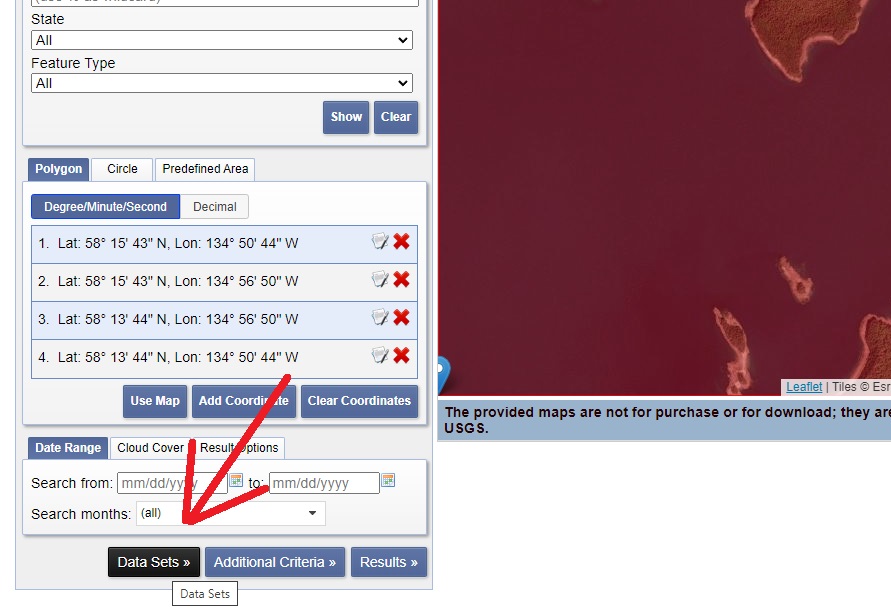
Next click “Data Sets”:
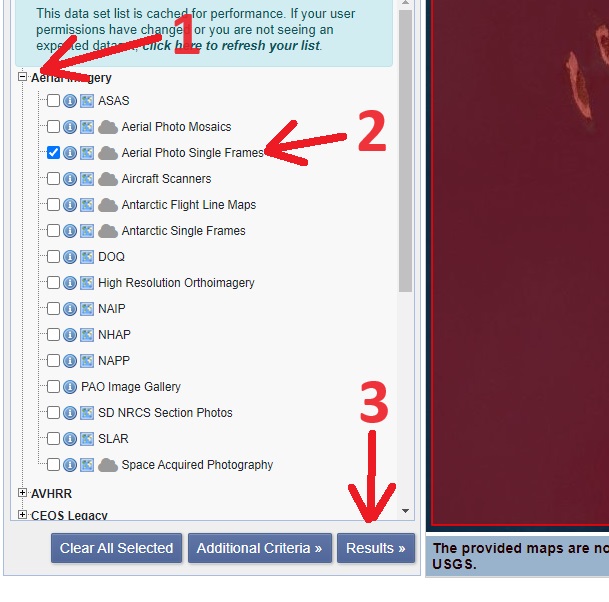
Then expand the “Aerial Imagery” section, select “Aerial Photo Single Frames”, and click “Results”:
You should now see a bunch of aerial photos of your selected area. For Funter Bay there are at least 6 pages to scroll through, and some of them are mis-matched photos from different areas.
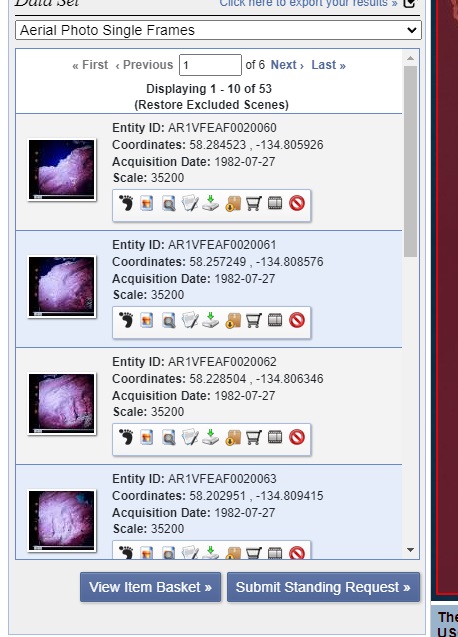
Since it’s a government site it’s not very user-friendly, but it does have a lot of neat content. They are apparently still adding photos and data as archives are scanned, so it’s worth checking back every few years to see if anything is new!
1 Comment | Uncategorized | Tagged: aerial, Alaska, bay, Boats, cabin, Cannery, fishing, Funter, historic, History, house, ruins, traps, trolling, wreck | Permalink
Posted by saveitforparts

