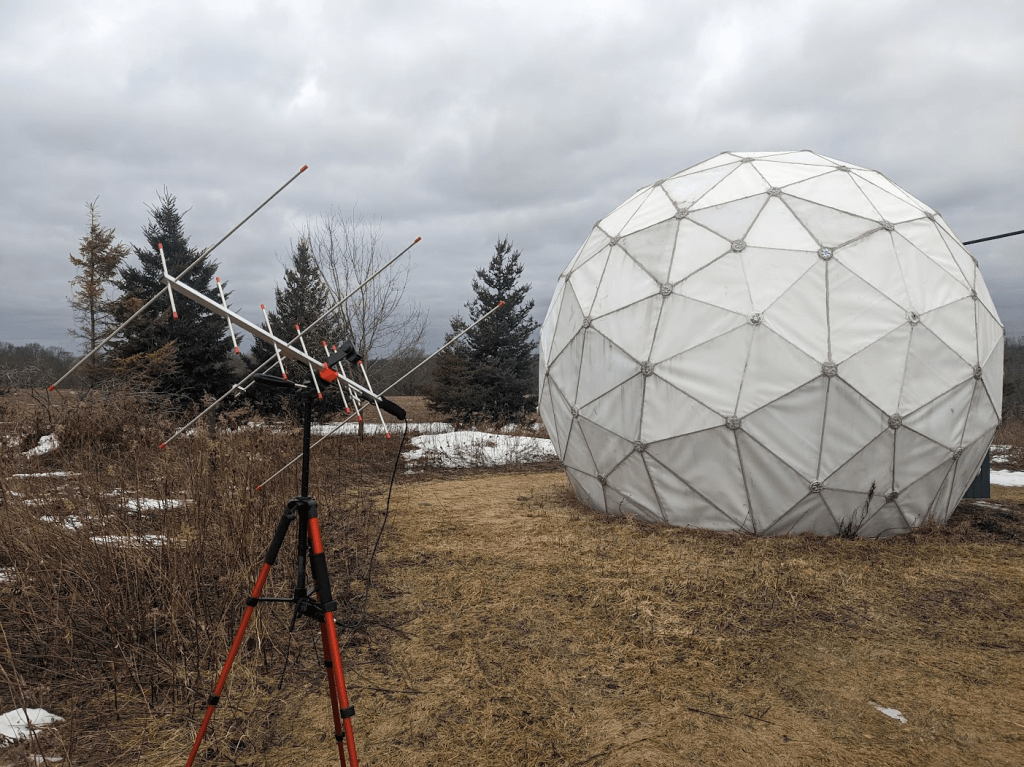
I’ve been making progress on the radio observatory / satellite tracking station at Sandland. We picked this 18ft geodesic radome up a couple years ago from the Carp Observatory and have been slowly getting it put together.
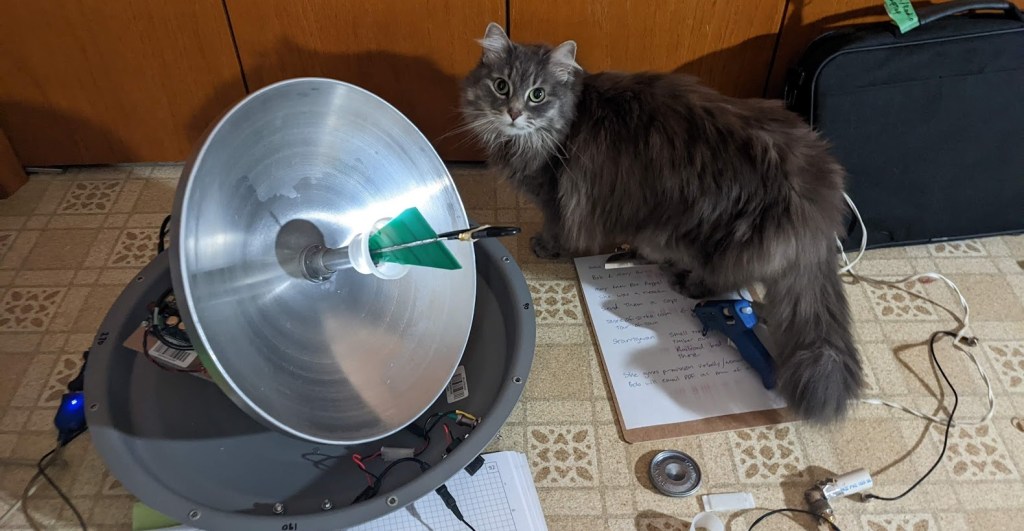
Radome and Arrow II Dual-Band Hamsat antenna.
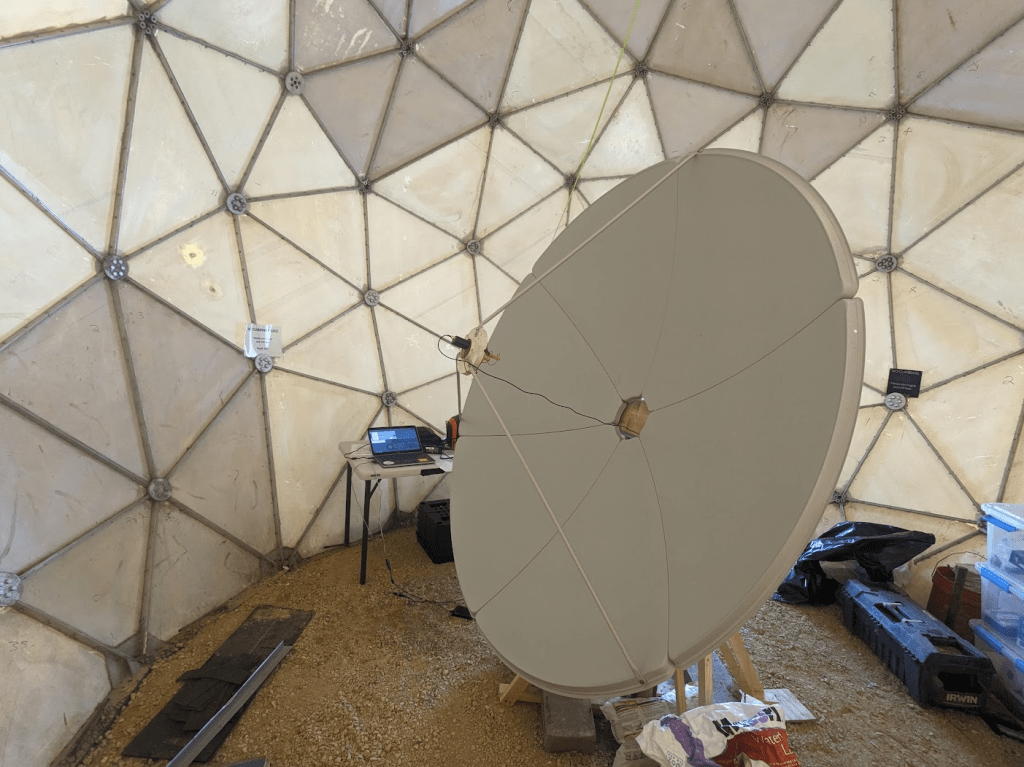
During 2025 I poured a cement footing and installed a satellite dish and motorized pointing system. This is only a 6ft (~1.8M) diameter antenna. The current motor is based on a large pan/tilt mount (Quickset QPT-90) from a vintage security camera. Eventually I hope to install a larger reflector and a more capable motor. I got this dish from Ax-Man Surplus (they don’t often have them and their inventory is constantly changing). I’ve heard these are also sold online as solar cookers.
6ft satellite dish inside the radome.
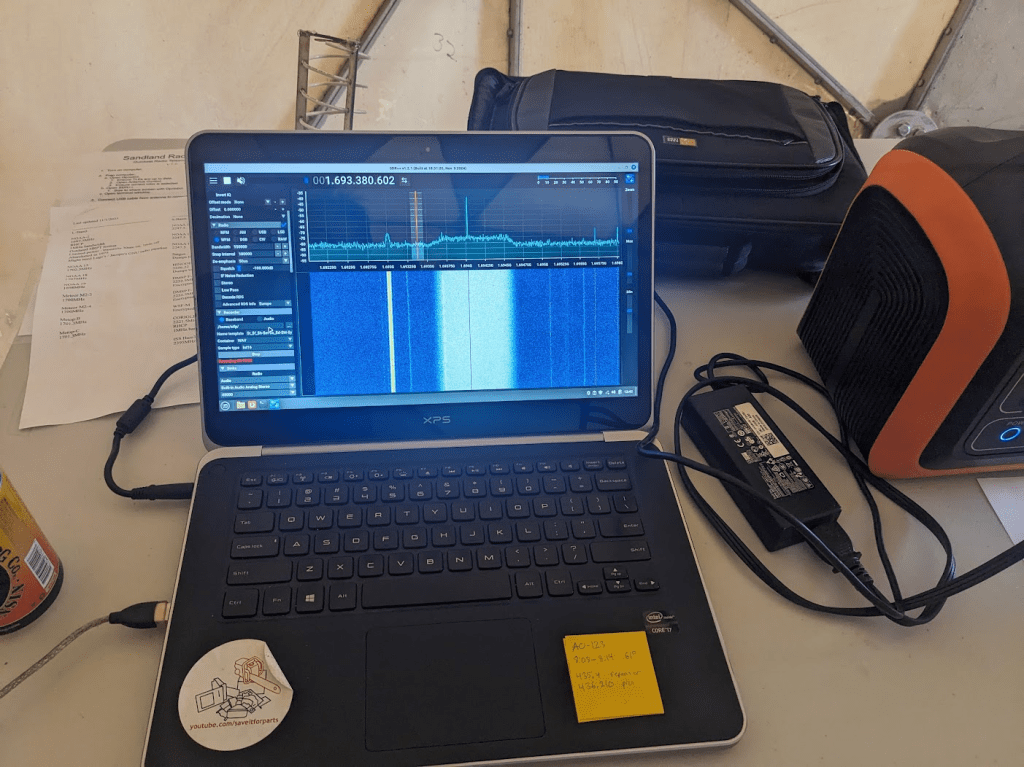
The motor is run by an Arduino microcontroller and surplus 24vAC power supply. Coordinates are passed to the Arduino via serial (USB) connection from a laptop, and the pan/tilt mount uses built-in potentiometers to determine where it’s pointing. I’m using code originally from SARCnet which I’ve modified to work with this setup. The laptop runs Gpredict to calculate positions from orbital data. It also runs SDR++ to record signals from a HackRF One software-defined radio.
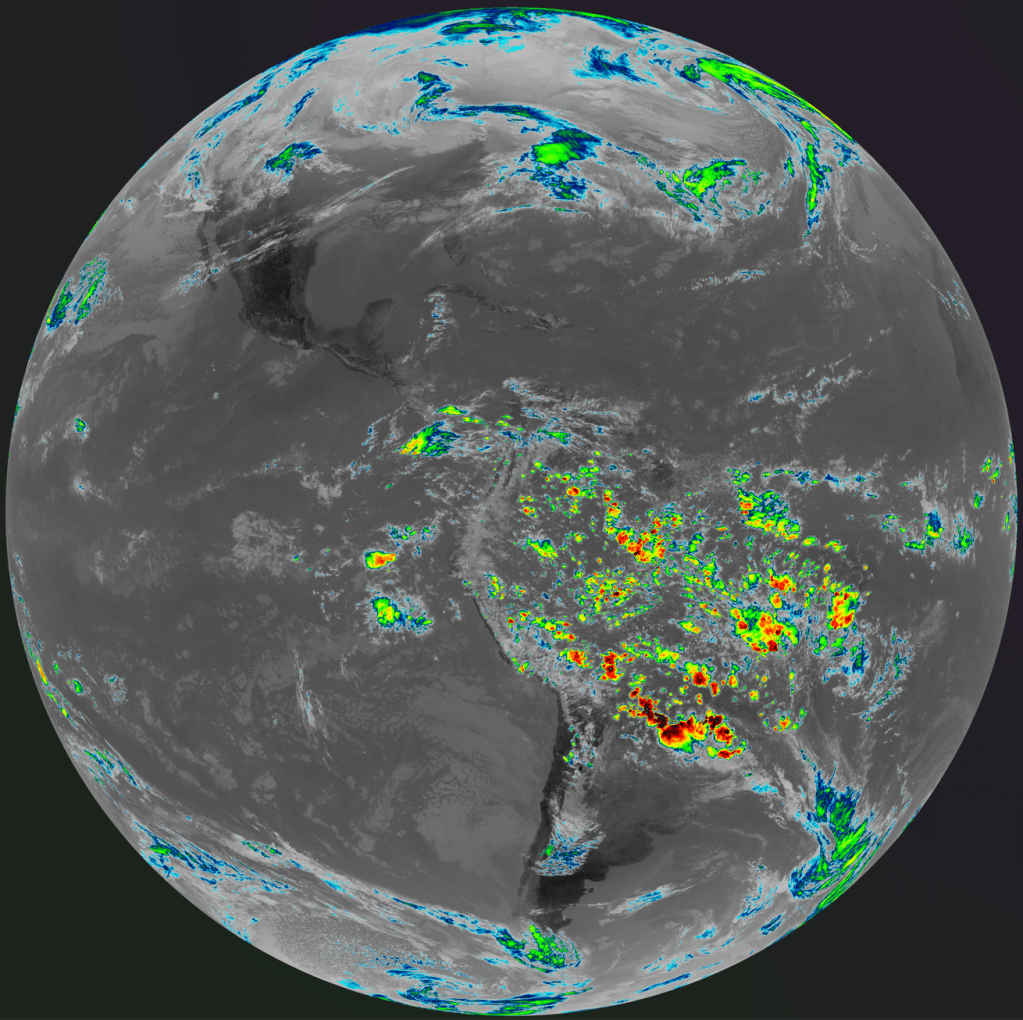
Receiving GOES weather satellite with the 6ft dish.
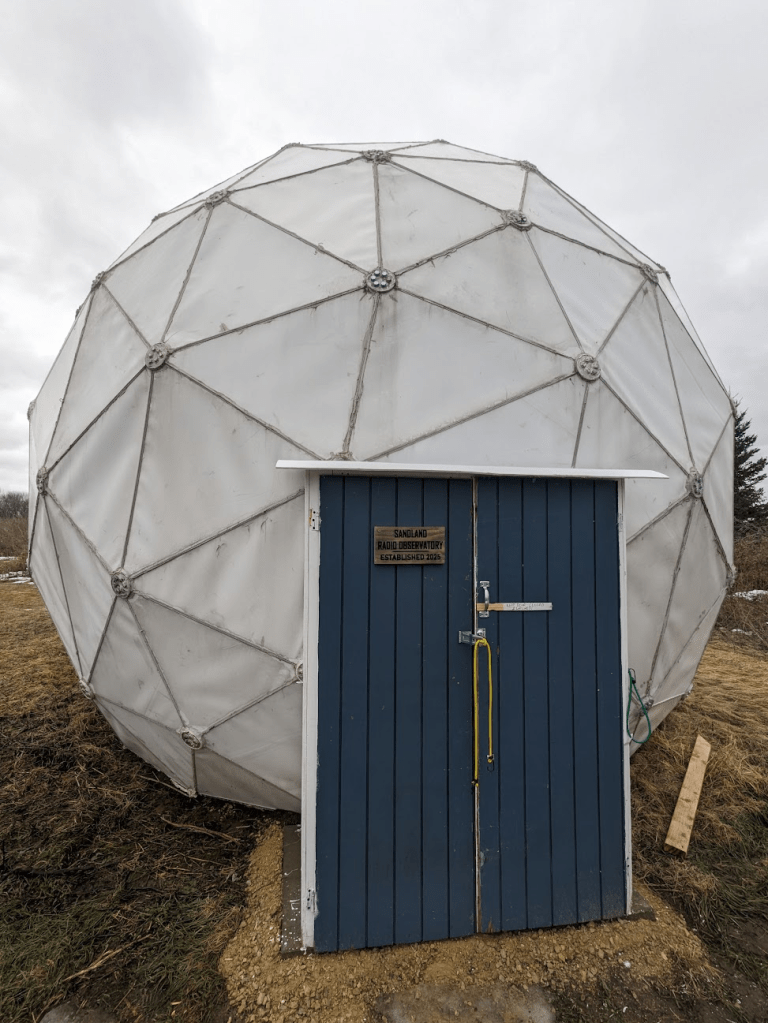
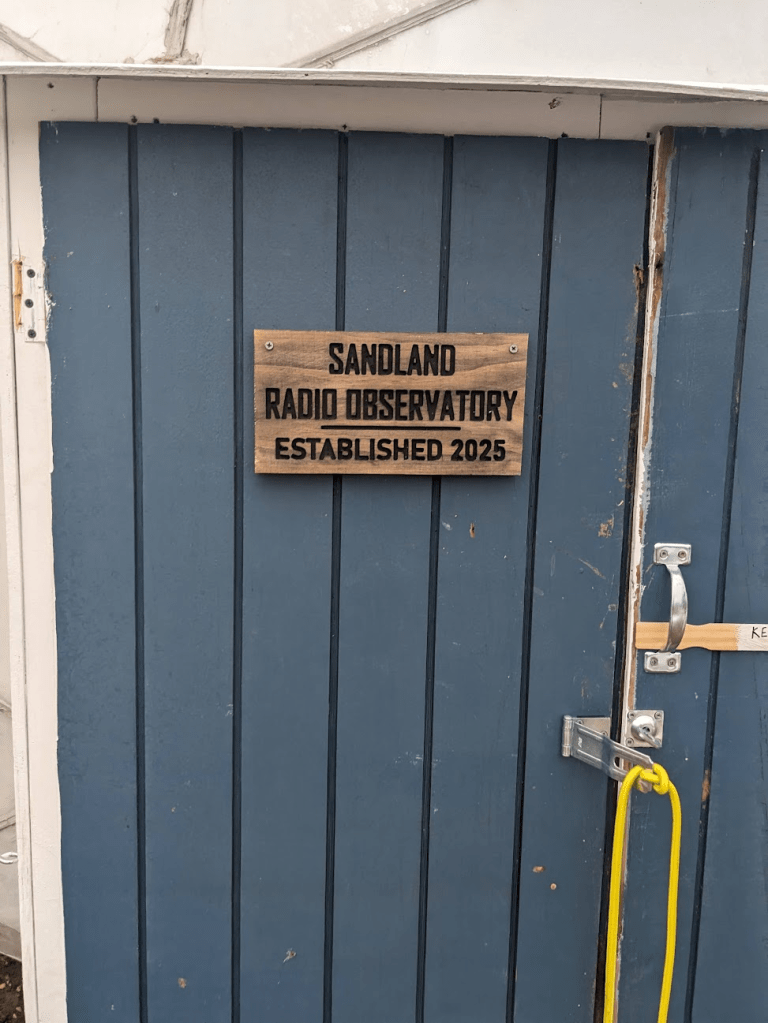
Other projects in 2025 involved finishing the doorway for the dome, so now we can close out wind, rain, and larger wildlife. This took a few tries, people kept leaving the door open for the wind to damage it. The dome is really nice once it’s all closed up, even on a cold February day it’s a nice protected work space! And not having to worry about wind pushing the dish around is nice as well.
New radome door.CNC door sign for the radome.
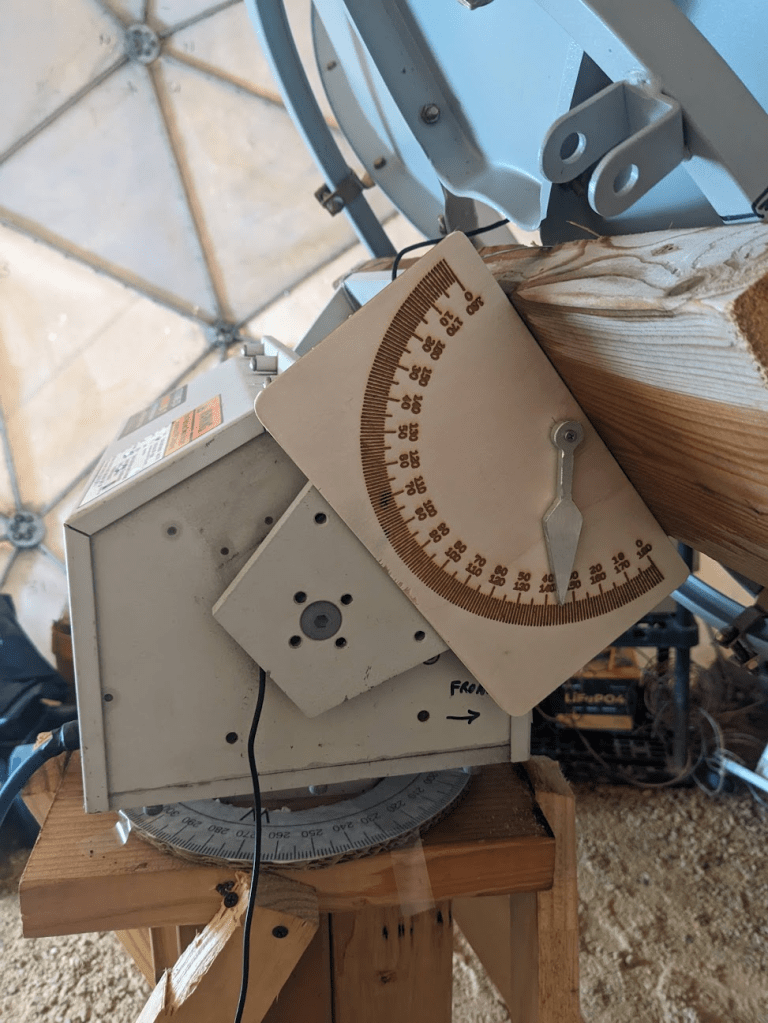
I’ve also been calibrating the dish to known geographic coordinates and orientation, so we can get the most accurate pointing. This will be critical when doing astronomy projects, and when tracking fast-moving Low-Earth-Orbit satellites with weak radios.
Manual calibration aid for the dish (I used electronic angle indicators for surveying, but this is handy for quickly seeing where the dish is pointed vs where the computer thinks it’s pointed).
After calibration and some adjustments to my code, the dish has been working great at tracking satellites! It’s so large that I can use almost any feed at the focal point, I’ve been reliably receiving linear L-Band signals with a circular S-Band feed!
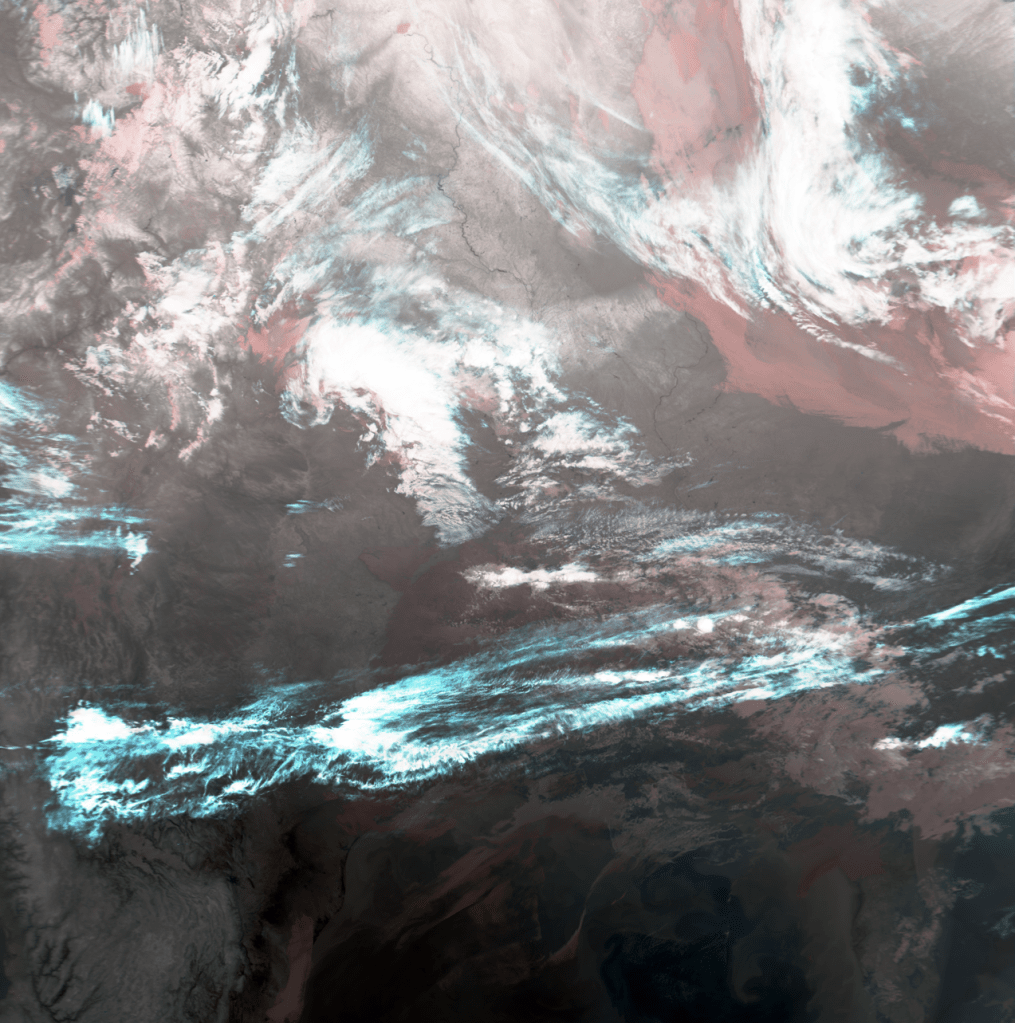
GOES-East full disk image with precipitation. METOP-B weather satellite image.
As usual I have a number of videos about this project on YouTube. You can check some of them out below!
I discuss a variety of satellite and radio projects on my YouTube channel. Satellite tech has become the most popular topic on my channel, even though it’s not what I initially started with! I often get questions from viewers along the lines of “how do I get started in this hobby?”. Personally, I bought the cheapest possible Software-Defined Radio (SDR) and just started messing with it! I’ve since moved on to slightly better SDRs, but there’s a lot you can do with just a $15-$20 unit from eBay and some creativity.
I usually try to include links and details in the descriptions of my videos, but I don’t always make “how-to” or instructional videos. Usually when I film a project, I’m learning right as I’m doing the project, and viewers are seeing me develop a skill as I do it. This isn’t the most efficient way to teach something, as I make plenty of mistakes along the way! My personal learning style involves a LOT of trial-and-error. My projects also involve a significant amount of dumpster-dived material and equipment, so it can be hard to make a “parts list” for someone to replicate what I did!
Fig 2: A portable / RV satellite dish re-purposed for different frequencies.
If you are just starting out with the amateur satellite hobby, there are a couple directions you can go. If you’re an amateur (ham) radio operator or just into listening to radio traffic, you can get into amateur repeater satellites pretty easily. The International Space Station is the most powerful and easiest to start with. Some info about that is in the list below.
If you want to start tracking and decoding weather satellites, the low-Earth-orbit Meteor series is probably the easiest to start with. Previously some of the US NOAA satellites used VHF, but the ones with this capability have been retired, so some of the info about them is outdated. As of early 2026, Meteor M2-3 and M2-4 can be received on VHF frequencies with a Software-Defined Radio. Images can be decoded with simple software like SatDump. Once you’re experienced with VHF you can upgrade to the L-band signal available from the same satellites (and some others), although this takes a little more effort and equipment.
If you want to try geostationary satellites, the GOES series (in the Western hemisphere) is a great place to start. However, you will need to find or make a satellite dish slightly larger than what’s normally found on houses today. More info and links are below.
The list below is my attempt to compile helpful resources and links related to satellite experimenting, “hacking”, or other hobby-level activities. Some of these are things I’ve written or filmed, and some are links that have helped me learn.
How to find free satellite dishes: https://www.youtube.com/watch?v=_qX30ayOcDU TLDW: Craigslist, Facebook Marketplace, and estate sales/auctions are great places to try! You can also contact local TV stations and ask if they have old ones. Or you can post on a classified site offering to remove old unwanted dishes from someone’s yard.
Combination dish and radio setup for GOES and L-band satellites: https://amzn.to/3YdsiKD (I have not personally used this entire combo, but I’ve heard good things about it).
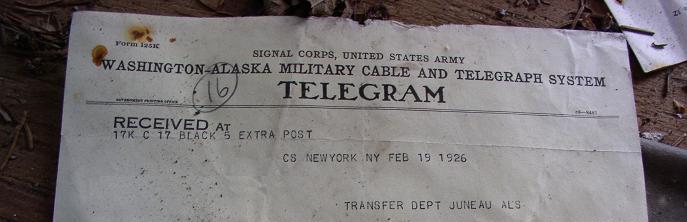
Prior to the 1920s, the quickest way to get a message across Funter Bay was to hop in a boat and row. If it wasn’t as important, you could walk the long way around. For outside communication, mail came several times a week by boat. Telegrams could be sent from Juneau to “Down South” after undersea cables were laid between 1900 and 1904.
Delayed communication sometimes caused headaches for those trying to do business at Funter Bay. On at least one occasion, people attempting to meet passed each other as one traveled to Juneau and the other to Funter.
“J. J. Foltz, president of the Funter Bay Gold Mining Company left on the last Bonita to visit the property. At the same time Supt. Fox left Funter Bay on a gasoline launch to meet Mr. Foltz in Juneau. “Ships that pass in the night” are responsible for Foltz being at Funter’s Bay and Fox now in Juneau.” Daily Alaska Dispatch (Juneau) 21 May 1903
Juneau newspapers attempted to keep track of the comings and goings of important persons, including their hotel accommodations. This practice seems a bit intrusive in today’s world, but was vitally important for coordinating meetings at the time.
Radios began appearing at Alaskan canneries around 1915, in the form of large base stations. In an earlier post I noted the large twin masts supporting a dipole antenna at the cannery in 1929.
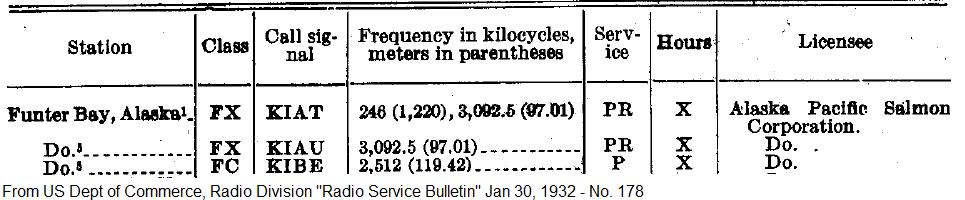
The FCC has some historic radio service bulletins online, listing new stations each year. Others can be found on Google Books. A 1919 list of commercial radio stations includes the “Thinket Pack. Co.” at Funter, Alaska, with call sign of KXK. (Those call letters had been assigned to the steamship Puritan until 1915). Frequencies were 300, 550, and 600kHz. In 1922 it was noted that the radio station at Funter opened for the year on May 11 and closed September 20th. By 1932 the cannery had several call signs listed.
The “PR” service indicates limited public use, while “P” indicates private use only. FX is Fixed Base, and FC is Coast Station.
Smaller shortwave and single sideband equipment gradually made its way into more locations, as seen by the proliferation of call signs licensed to fishing boats between the 1920s and 1940s. Antennas became smaller as frequencies got higher and transmitters more efficient. Eventually many houses and cabins had radios of some sort installed, sometimes bending the FCC’s rules on CB and mobile radio use (as often happened, rules designed for the lower 48 made little sense in Alaska). More modern radio systems associated with Funter Bay are mentioned here.
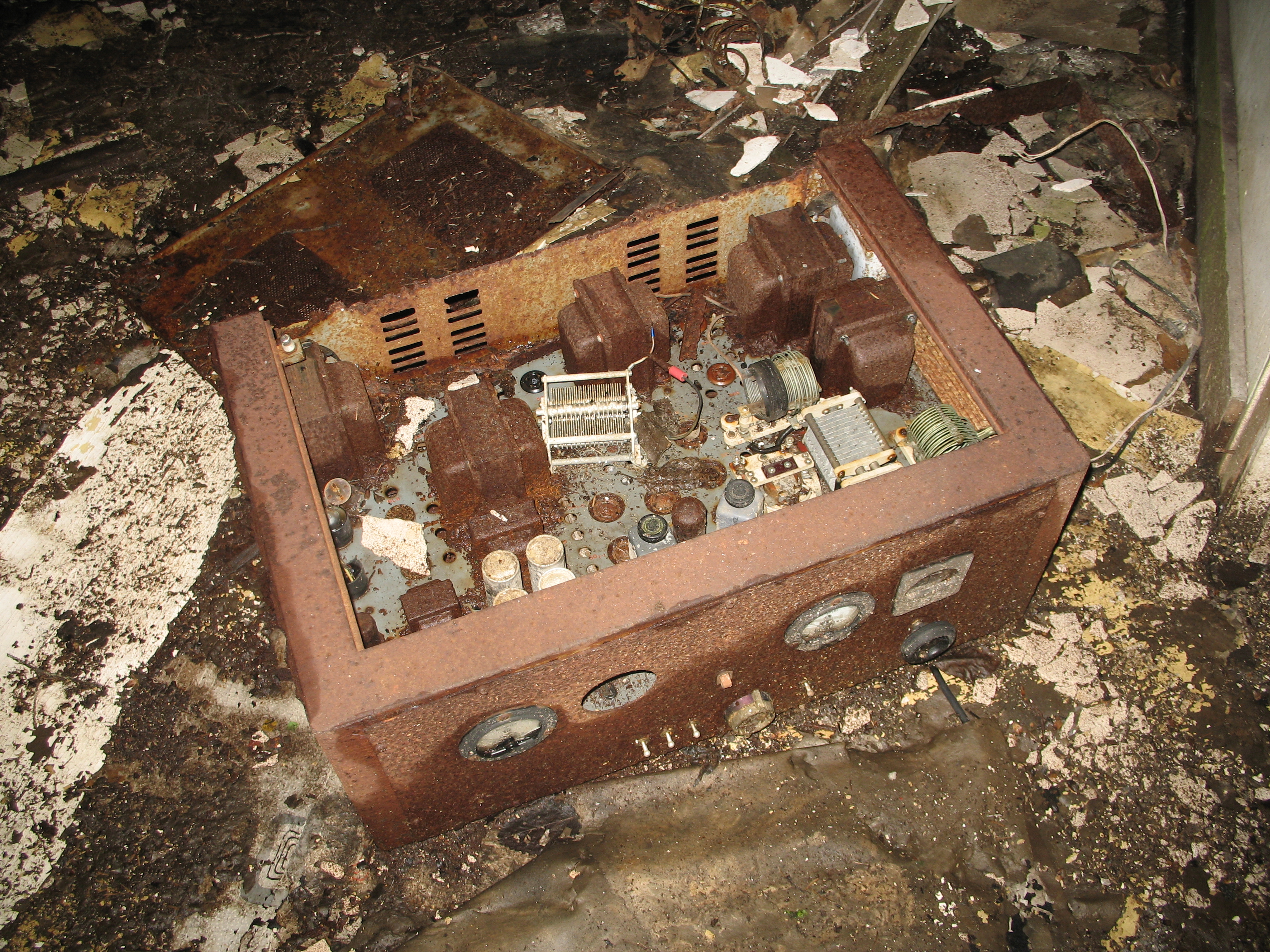
Old vacuum tube radio set:
The 1930s and 40s brought hand-crank telephones, although these were never a complete network, and only connected a few buildings at each industry (and later, between a few houses with salvaged equipment). The Funter Bay cannery had a number of EE-8 army field telephones, which were likely installed during the Aleut internment. A few older crank phones can also be found in houses around the bay (When I was growing up we had phone lines to 5 houses and a few out-buildings, our “phone number” was three rings).
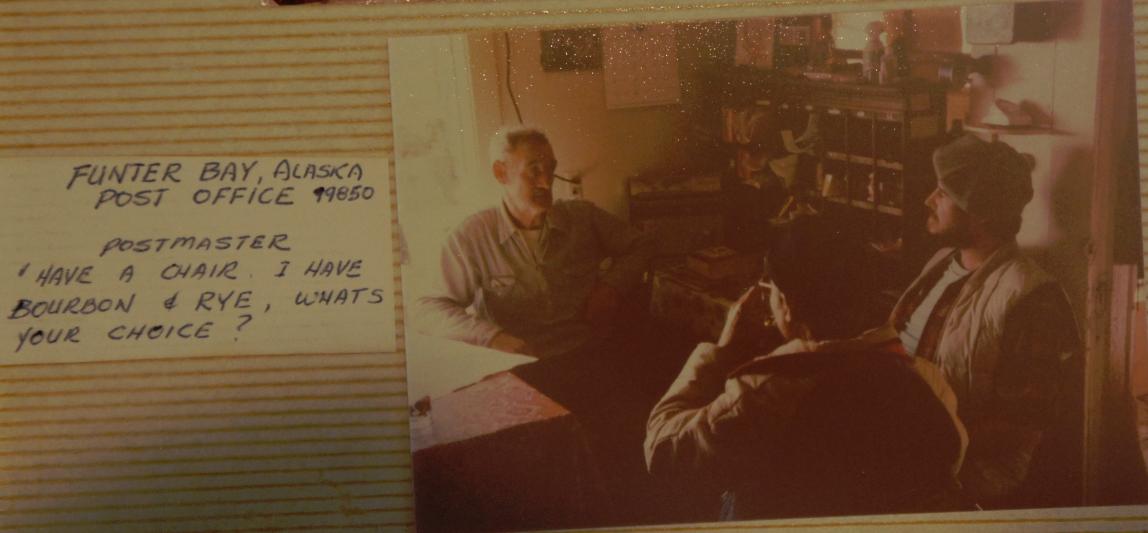
From 1902 until the late 1970s, Funter Bay had a mostly year-round post office. Cannery employees and winter watchmen usually served as postmaster (and public radio operator) and the post office was the social center of the community in the winter.
I may write more on the postal history of Funter Bay at a later time, I am still collecting information on that subject.
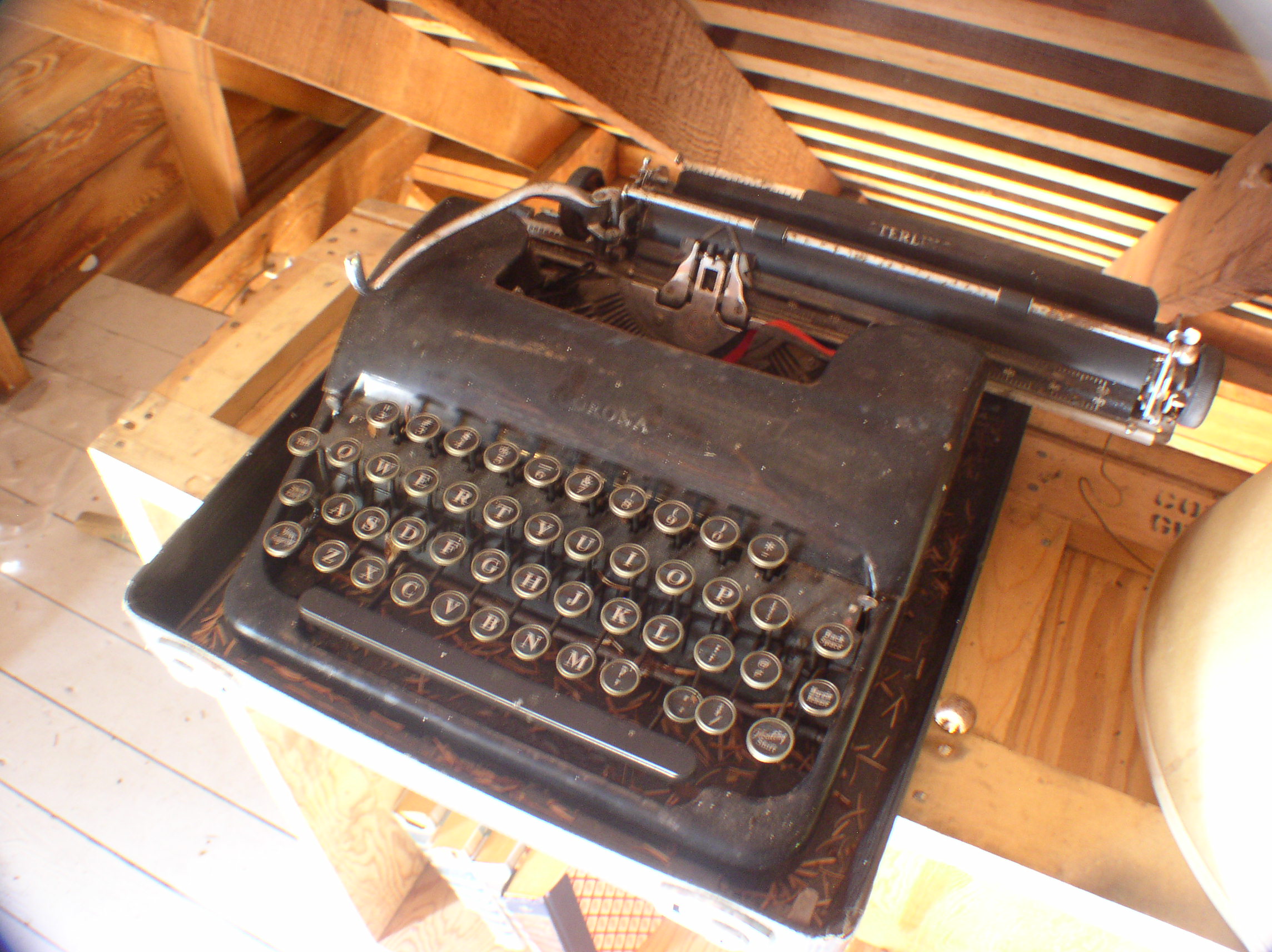
An old typewriter found in an attic at Funter:
Newspapers were also popular, even if they were outdated by the time you got them. They were entertainment, you could insulate your house with them (shown below), and they’d probably be useful in the outhouse!
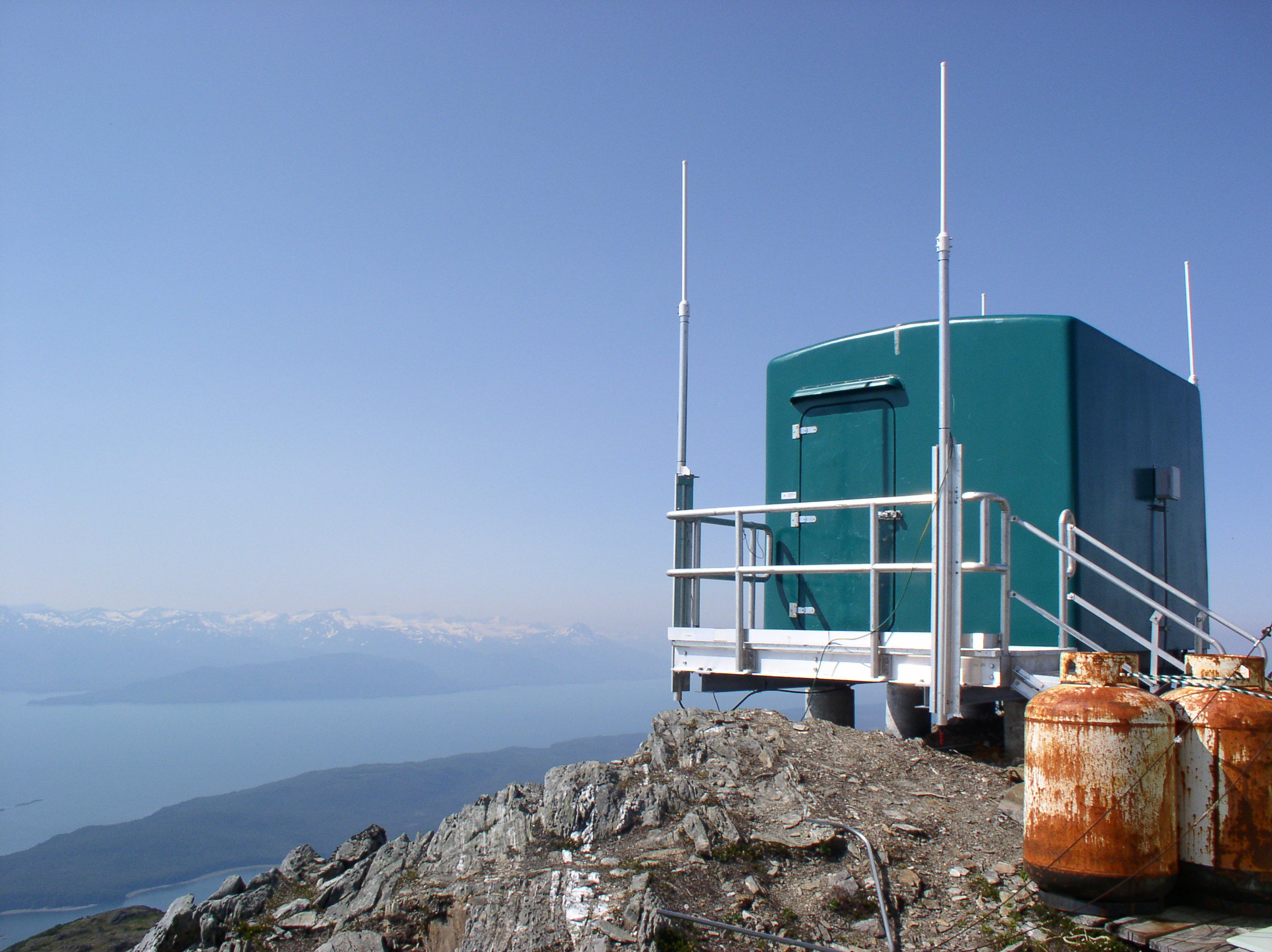
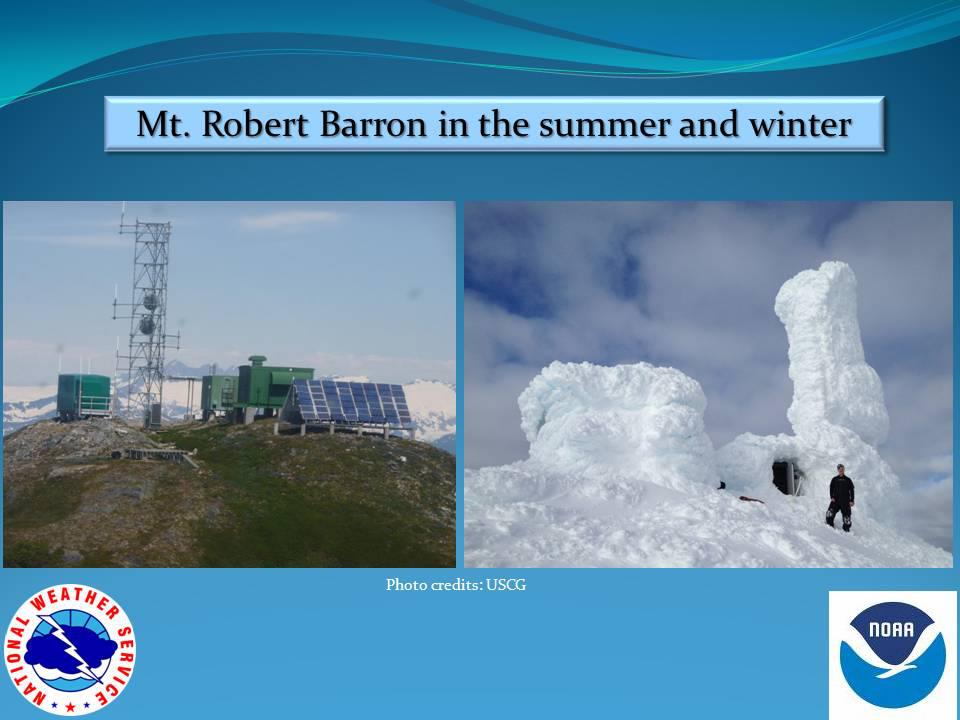
High above Funter Bay on Mt. Robert Barron is a government radio communication site. This unmanned facility rebroadcasts radio traffic for a variety of public and private users. Located at an elevation 3,475ft, the one-acre site is part of the Tongass National Forest and is operated under a lease agreement with the forest service.
The site was built in the early 1970s as part of the National Distress System. This was designed to improve emergency radio coverage for coastal areas. The original 15ft tower was replaced around 2002 with a 50ft tower to allow more distance between antennas.
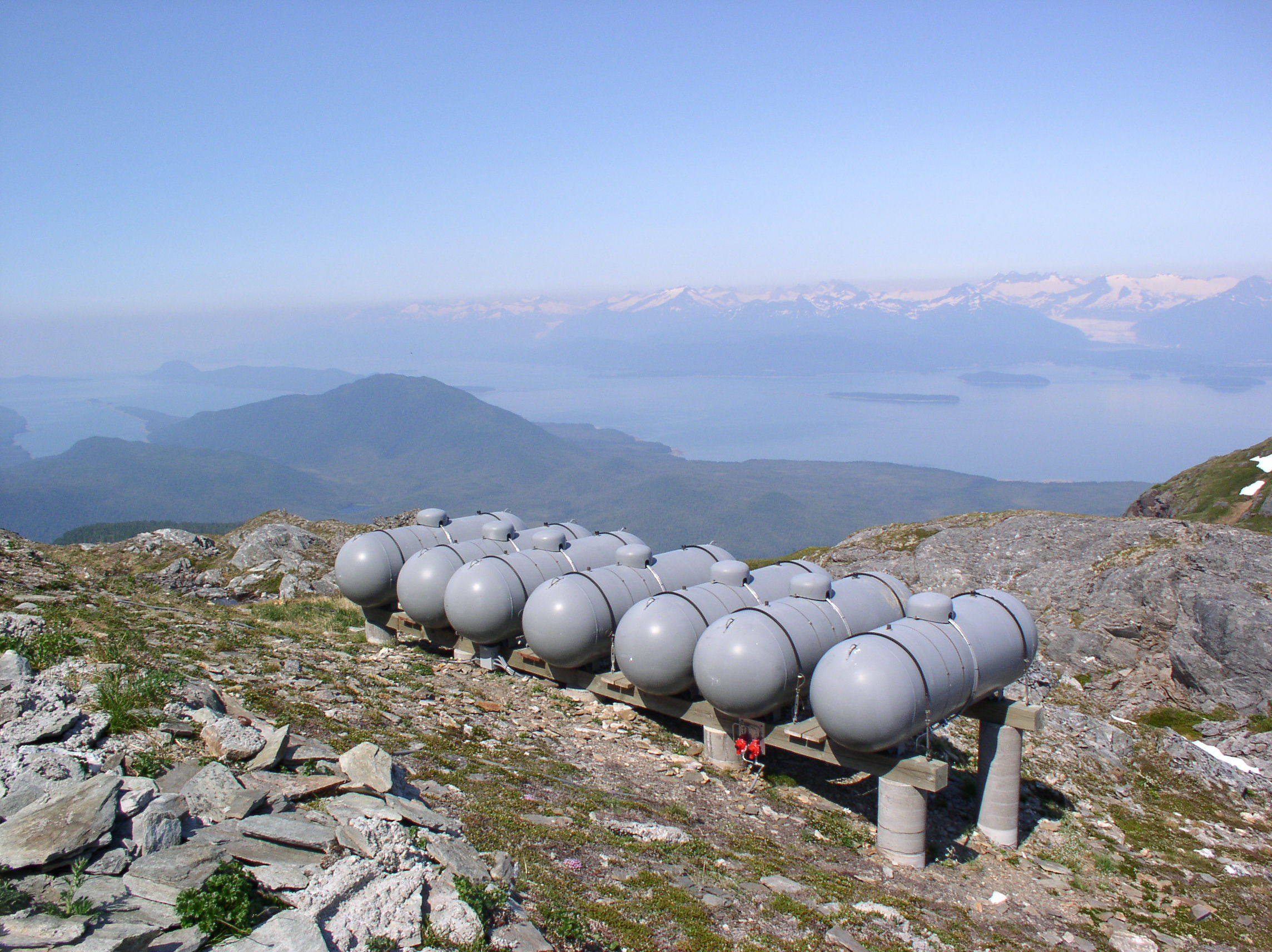
The tower is normally accessed by helicopter from Juneau. The site is powered by propane generators as well as a solar array. One report indicates that this site uses about 3,000 gallons of propane each year, while another states the same amount lasts about two years. A thesis study notes that the site used 11.12kWh/day and cost about $7,200/year in 2001.
The weather at this site can be extreme, with ice and snow sometimes coating the towers and huts. While most of the radio antennas can transmit through the ice, any broken equipment or maintenance requires personnel to fly out and chop ice from the structures. The power system thesis notes that a wind turbine was installed at a similar site in 1999, but it was destroyed by winds in excess of 160mph.
Another photo of the site iced up in 2012 can be seen here. Some photos from 2009 are here.
A video of the site coated in ice in spring of 2013 is here. Another video of the site in ice-free condition from January 2014 is here.
Some more views from the summit:
There used to be a snow gauge installed lower on the mountain. This was a wooden structure with height markings, which could be read by passing aircraft or possibly by binoculars from the weather station at the cannery. The gauge has fallen apart, but a few wooden pieces with orange and black markings can be found.
Radio services at the Mt. Robert Barron site include:
-NOAA Weather Radio channel 3. Callsign KZZ87 on 162.450mhz.
-Aeronautical Remote Comm Air/Ground (Flight Center repeater) on 133.9mhz
-Radio Comm Link Terminal (Aircraft Flight Data) on 941.825mhz (formerly 943.525).
-State of Alaska Public Safety Pool – KNIR245 on 155.415mhz
-Coast Guard marine VHF “High Level Site” (normally monitoring channel 16, also capable of channels 6, 12, 13, 21A, 22A, and 81A).
-Temsco Helicopter Service – WPKI643 on 151.775mhz
-Amatuer 2m repeater NL7B on 145.400mhz
-Forest Service / Fire – 171.575mhz
-City and Borough of Juneau – Microwave Industrial / Business Pool – 952.38125 Path Frequency.
–Alaska Power & Telephone Microwave Industrial / Business Pool (the telephone system for many small communities). Various frequencies.
Several cellular and telecom companies currently hold or have held licenses involving Robert Baron Peak. There is not a cell tower here, but various companies use bandwidth on the microwave repeaters to hit other stations and cell towers around Southeast.
And finally, a very large panorama of Funter Bay from partway up the mountain, make sure to click it to get the full size!


 Posted by saveitforparts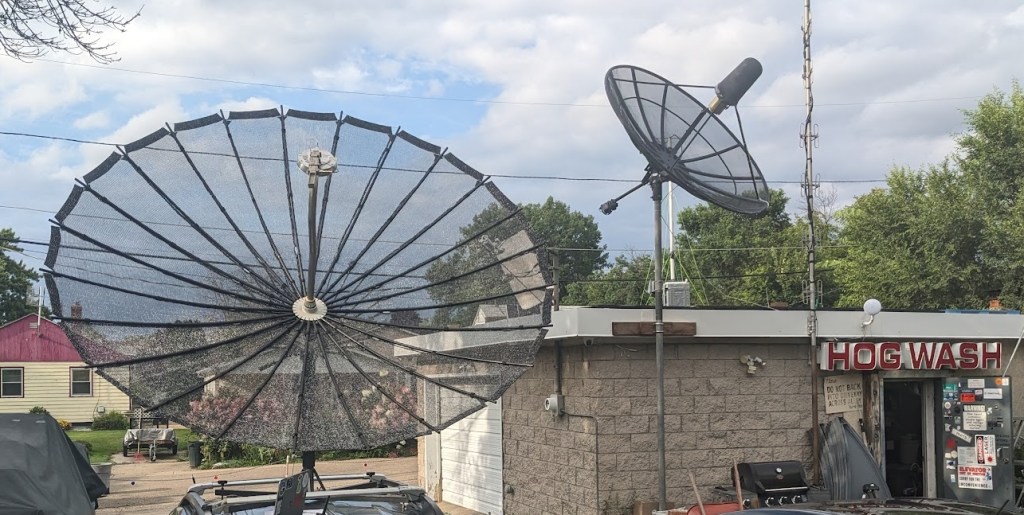







 Saveitforparts

